Creating a website for a small business sounds simple.
You might think the process is:
- Buy a domain.
- Choose a website builder.
- Pick a template.
- Add your information.
- Publish.
Technically, that’s enough to put something online.
But there is a big difference between having a website and having a website that actually helps your business.
A small-business website needs to answer some very basic questions quickly:
- What does this business do?
- Who does it serve?
- Where does it operate?
- Why should I trust it?
- What should I do next?
- How can I contact it?
If a visitor has to hunt for those answers, the website is already making the customer’s job harder.
The good news is that you don’t need a huge budget or a complicated custom-built website to get this right.
You need a sensible process.
This guide walks through that process from the first decision to the final launch.
First: Decide What the Website Is Supposed to Do
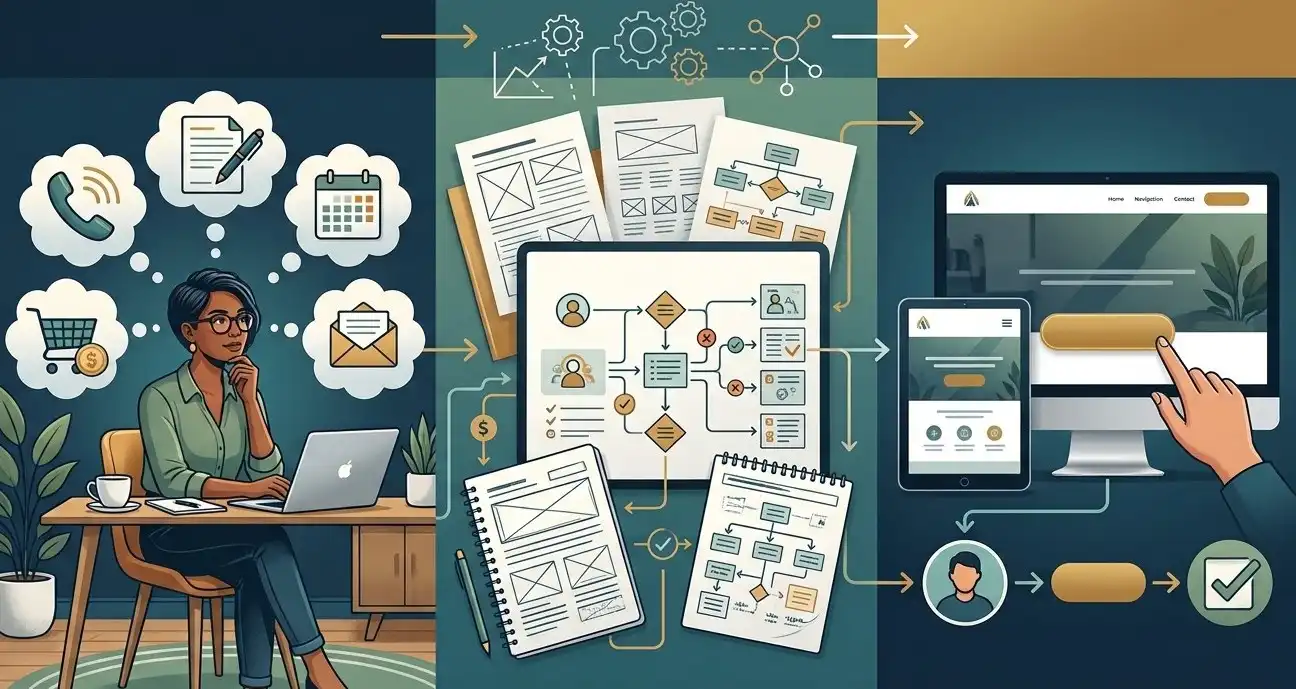
Before choosing WordPress, a website builder, a theme, a designer, or anything else, answer one question:
What job is this website supposed to perform for my business?
This is surprisingly important.
A website can have completely different goals depending on the business.
For example:
A plumber
The primary goal may be generating phone calls and quote requests.
An accountant
The goal may be generating consultation requests and explaining services.
A restaurant
The goal may be showing the menu, location, hours, and making reservations or orders easy.
An attorney
The goal may be explaining practice areas and generating consultations.
An online store
The goal is obviously more complicated because the website needs to sell products and process orders.
A contractor
The website may need to generate estimates while showing previous projects and explaining services.
Once you know the job, many other decisions become easier.
Step 1: Define Your Ideal Customer
Don’t start by designing the homepage.
Start with the person who is going to use it.
You don’t need a 50-page marketing document.
Just answer a few questions.
Who is your customer?
For example:
- Homeowners
- Small-business owners
- Parents
- Property managers
- Local companies
- Restaurants
- Manufacturers
- Home buyers
What problem are they trying to solve?
A customer looking for a plumber isn’t really looking for “plumbing services.”
They’re probably trying to solve a problem involving their home or property.
The more clearly your website understands the customer’s problem, the easier it becomes to write useful content.
What makes them choose one business over another?
It could be:
- Price
- Experience
- Availability
- Location
- Reputation
- Specialization
- Convenience
- Quality
- Credentials
- Speed
You don’t necessarily need to be the cheapest.
But your website should make it clear why someone should consider you.
Step 2: Decide What You Want Visitors to Do
Every website should have a next step.
For a local business, that might be:
Call
Request a quote
Book an appointment
Send a message
Visit the store
Buy a product
Schedule a consultation
Get directions
Don’t give visitors ten competing instructions.
Choose the primary action and make it obvious.
For example, a roofing company might make:
Request a Free Estimate
the main call to action.
An attorney might use:
Schedule a Consultation
A restaurant might use:
View Menu
or
Order Online
The call to action should match the actual business objective.
Step 3: Choose a Domain Name
Your domain is the address people use to reach your website.
For example:
yourbusiness.com
Whenever possible, a business should generally look for a domain that is:
- Easy to remember
- Easy to spell
- Easy to say aloud
- Relevant to the business
- Reasonably short
Don’t spend weeks trying to invent the world’s most clever domain name.
A simple, memorable domain is usually more useful than a complicated one.
Don’t Let the Domain Name Become a Roadblock
This is something that can waste an enormous amount of time.
A business owner finds that:
yourbusiness.com
is already taken.
Then they spend three weeks brainstorming increasingly strange alternatives.
Don’t.
If the ideal domain is unavailable, look for a sensible alternative.
The important thing is to choose something that you can confidently put on:
- Business cards
- Invoices
- Vehicles
- Email signatures
- Social profiles
- Advertising
- Google Business Profile
And once you’ve chosen it, register it in an account you control.
Step 4: Choose How the Website Will Be Built
There are several ways to create a website.
Website builders
Examples include platforms where you visually create pages without managing much of the technical infrastructure yourself.
These can be useful for beginners and very small projects.
WordPress
WordPress is another popular option.
It gives businesses substantial control over their website and supports a huge ecosystem of themes, plugins, and tools.
For many small businesses, WordPress can provide a useful middle ground between simplicity and flexibility.
Custom development
A website can also be developed specifically for the business.
This can make sense when the project requires functionality that standard website platforms cannot reasonably provide.
But here’s an important point:
Custom code isn’t automatically better.
If a plumber needs a five-page website with a contact form, there may be very little business value in building a completely custom website from scratch.
The right technology is the technology that solves the problem without creating unnecessary complexity.
Step 5: Decide Who Is Building It
You have several choices.
Build it yourself
Good for someone who has the time and is comfortable learning.
Hire a freelancer
Often a practical option for a small-business website.
Hire a web design company
Useful when you want more structured project management, strategy, design, development, or ongoing support.
Have an employee build it
Sometimes appropriate if someone inside the company already has the necessary skills.
The important thing isn’t the label.
It’s whether the person or company understands the project.
Before Hiring Someone, Ask These Questions
This is one of the most useful things you can do before signing a website contract.
Ask:
Who owns the domain?
The answer should be clear.
Who owns the website?
You should understand what happens if you stop working with the provider.
Who owns the hosting account?
Again, make sure this is clear.
Who provides the content?
Does the designer write it?
Do you write it?
Is copywriting included?
Who provides the photos?
Are professional photos required?
Are stock images included?
How many pages are included?
And importantly:
How many unique page designs are included?
How many revisions are included?
Is mobile optimization included?
Is basic SEO setup included?
Is ongoing maintenance included?
What happens after the website launches?
A cheap website can become surprisingly expensive if all of the important work is excluded from the initial quote.
Step 6: Gather Everything Before Design Begins
This is one of the biggest ways to make a website project faster.
Before someone starts designing, gather your materials.
Create a folder containing:
- Logo
- Brand colors
- Business name
- Phone number
- Email address
- Address
- Business hours
- Service area
- Service descriptions
- Team information
- Photos
- Testimonials
- Certifications
- Licenses
- Awards
- Social media links
- Existing brochures
- Existing marketing materials
- Frequently asked customer questions
If you already have good material, give it to the designer.
Don’t make them hunt for information that already exists.
The Surprisingly Important Question: What Do Your Customers Ask You?
This can become some of the best content on the entire website.
Think about the questions customers ask repeatedly.
For a plumber:
How much does a water heater replacement cost?
For a contractor:
How long does a bathroom remodel take?
For an accountant:
What bookkeeping services do you provide?
For a cleaning company:
Do you provide recurring cleaning?
For a lawyer:
What types of cases do you handle?
These questions can become:
- FAQ sections
- Service-page content
- Blog articles
- Website headings
- Sales resources
Your customers are literally giving you content ideas every day.
Step 7: Plan the Pages
Now decide what pages the website actually needs.
Don’t start with:
“I need 20 pages.”
Start with:
“What information does a customer need?”
A simple local business might need:
- Home
- About
- Services
- Contact
Then perhaps individual service pages.
A larger business may need:
- Home
- About
- Services
- Individual service pages
- Locations
- Projects
- Reviews
- FAQs
- Blog
- Contact
An ecommerce website will obviously need a completely different structure.
Don’t Create Pages Just to Make the Website Look Bigger
This is an easy trap.
A business owner sees a competitor with 35 pages and thinks:
“We need 35 pages too.”
Not necessarily.
A page should exist because it provides useful information or serves a useful business purpose.
Twenty excellent pages are better than fifty nearly empty pages.
This becomes particularly important if you’re thinking about SEO.
Adding hundreds of thin pages simply because you can create them isn’t a substitute for useful content.
Step 8: Create the Website Structure Before Designing It
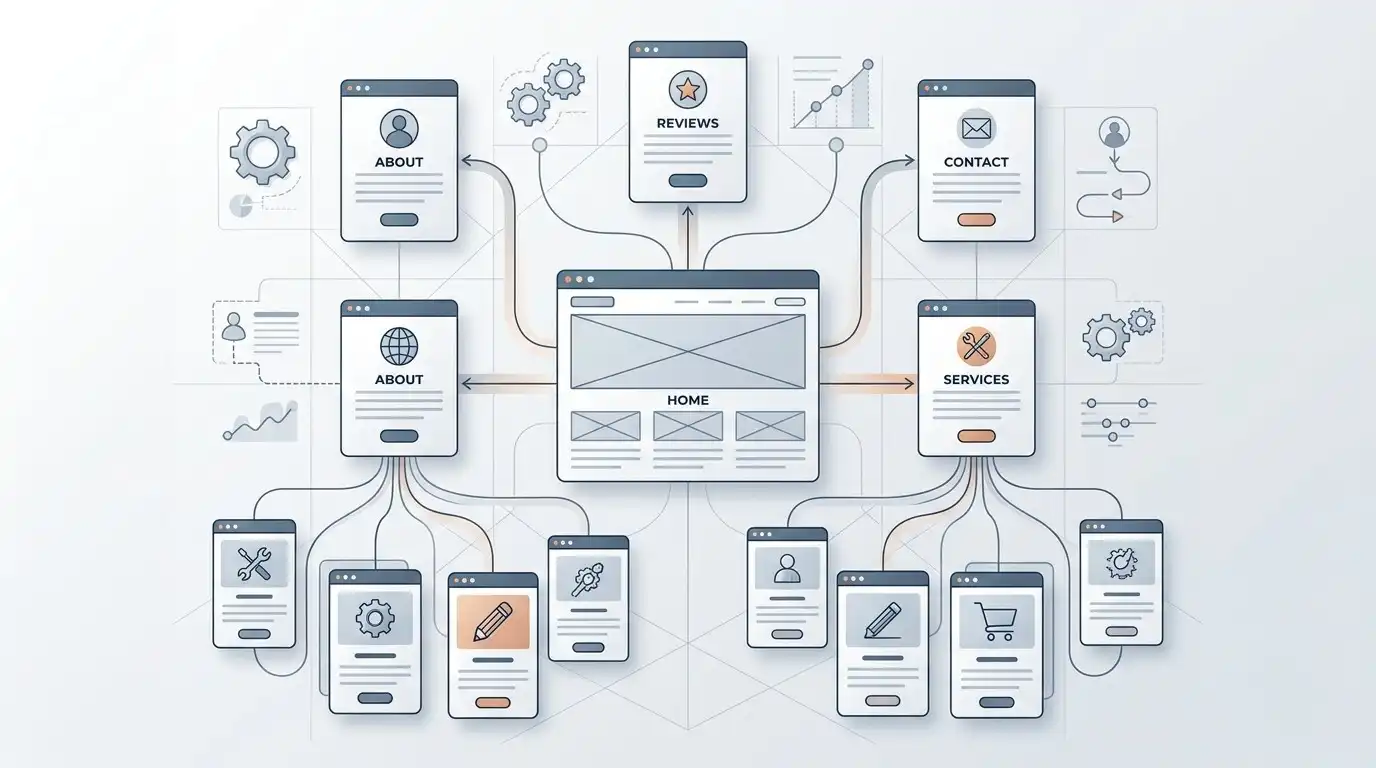
Before choosing fonts and colors, think about the structure.
For example:
Home
↓
Services
→ Plumbing Repair
→ Water Heater Installation
→ Drain Cleaning
→ Sewer Services
↓
About
↓
Reviews
↓
Contact
This simple exercise can reveal problems before they become expensive design problems.
It also helps you understand how visitors should move through the website.
Step 9: Write the Homepage Before You Design It
This is one of the most useful changes you can make to the traditional website process.
Many people start with:
“What should the homepage look like?”
Start with:
“What does the homepage need to say?”
A typical small-business homepage might need to communicate:
What you do
Clear headline.
Where you do it
Service area or location.
Who you help
The target customer.
Why customers should trust you
Reviews, experience, credentials, projects, guarantees, or other evidence.
What services you offer
A clear summary.
What the customer should do next
Your primary call to action.
Once the message is clear, design becomes much easier.
A Simple Homepage Structure
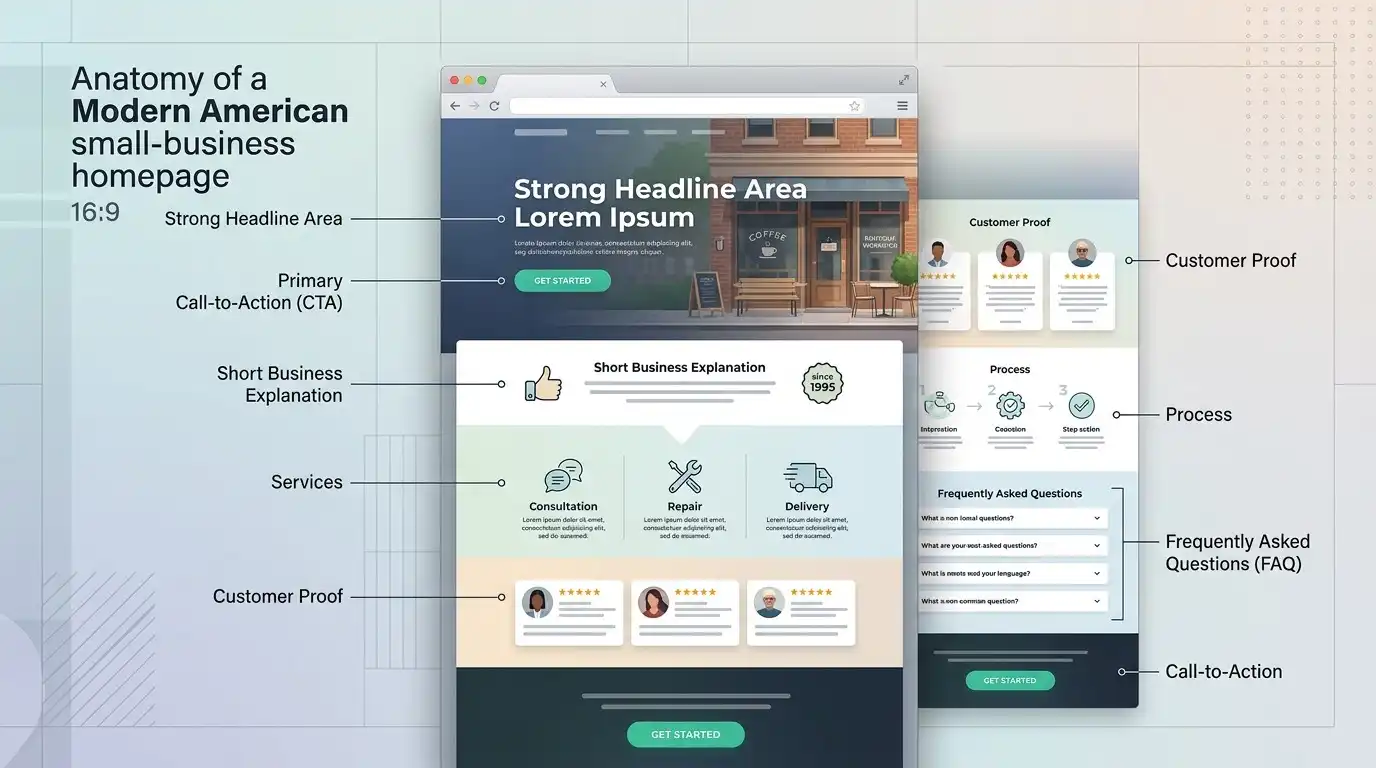
For many local businesses, something like this can work:
1. Main headline
Clearly explain the business and service.
2. Primary call to action
Make the next step obvious.
3. Short explanation
Explain what you do and who you help.
4. Services
Show the main services.
5. Trust signals
Reviews, years of experience, certifications, project photos, or other legitimate evidence.
6. How it works
Explain the process if customers need to understand it.
7. Frequently asked questions
Answer common objections.
8. Final call to action
Give the visitor another opportunity to contact you.
This isn’t a rigid formula.
It’s a starting point.
Step 10: Write for Customers, Not for Yourself
This is one of the most common small-business website mistakes.
Business owners often write:
“We are a family-owned company established in 1998 with a commitment to excellence…”
There may be nothing wrong with that sentence.
But the customer may be thinking:
“Can you fix my problem?”
Start with the customer.
Instead of making the first thing visitors see a long company history, tell them:
What you do.
Where you do it.
What problem you solve.
Then give them reasons to trust you.
Don’t Hide the Important Information
A visitor shouldn’t have to search for:
- Phone number
- Location
- Services
- Hours
- Contact form
- Pricing information when appropriate
- Booking option
Make important information easy to find.
A website isn’t a treasure hunt.
Step 11: Add Real Proof
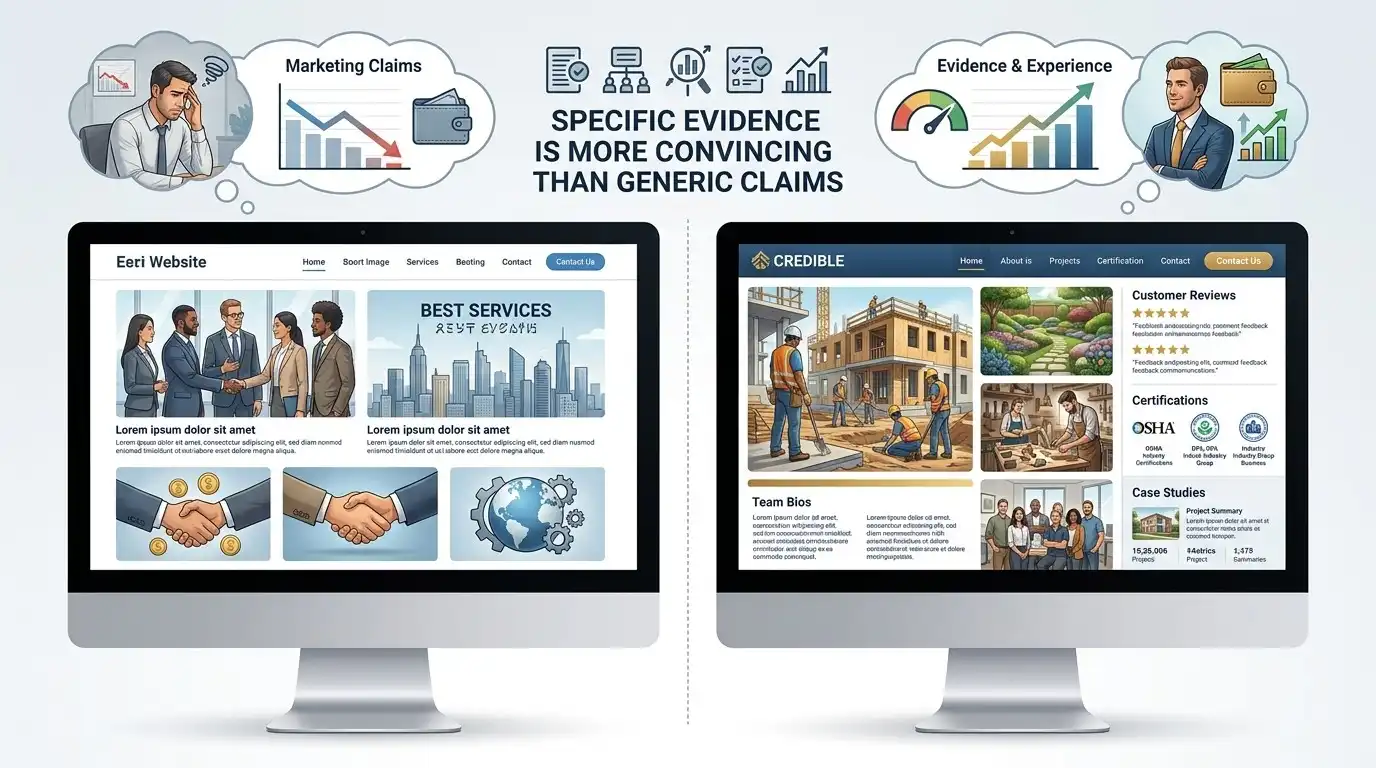
This is where many small-business websites become generic.
They say:
“We provide high-quality service.”
Every competitor says that.
Instead, show evidence.
For example:
- Real customer reviews
- Before-and-after projects
- Case studies
- Team credentials
- Certifications
- Years in business
- Real project photographs
- Industry memberships
- Guarantees, where genuinely offered
- Specific experience
Compare:
“We are committed to customer satisfaction.”
with:
“We’ve completed more than 1,200 residential plumbing jobs since 2012.”
The second statement gives the visitor something concrete to evaluate.
Only use claims you can substantiate.
Step 12: Use Real Photos Whenever Possible
AI-generated images can be useful for certain visual elements.
But don’t use artificial images to pretend they’re photographs of your actual business.
If you’re a contractor, show your actual work.
If you’re a dentist, show your actual office and team.
If you’re a restaurant, show your actual food and location.
If you’re a landscaping company, show actual projects.
Real photographs can provide information that generic stock images simply can’t.
They show:
This business actually exists.
These are their people.
This is their work.
This is their environment.
That can be much more persuasive than another perfectly polished stock photograph of someone wearing a headset.
Step 13: Make It Work on a Phone
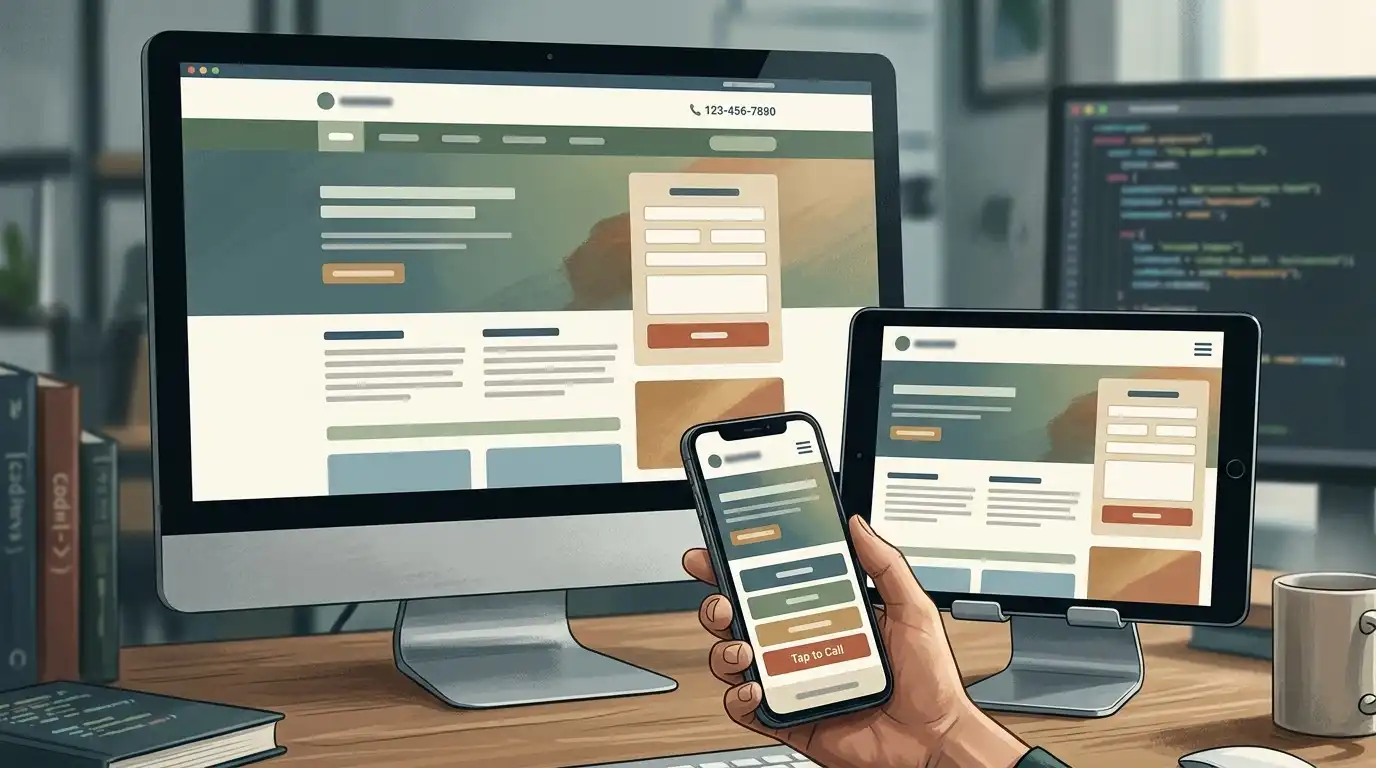
This shouldn’t be an optional extra.
A large percentage of local business searches and visits happen on mobile devices.
Your website should be tested on an actual phone, not just resized inside a desktop browser.
Check:
- Text size
- Buttons
- Navigation
- Phone links
- Forms
- Images
- Page spacing
- Loading speed
- Sticky elements
- Popups
A visitor shouldn’t have to pinch and zoom to read your services.
Step 14: Make Contact Extremely Easy
Don’t make customers work to contact you.
If phone calls are important:
Put the phone number somewhere obvious.
If quote requests are important:
Make the quote form easy to find.
If booking is important:
Put the booking action where visitors expect it.
And keep forms short.
Don’t ask a potential customer for 17 pieces of information when you only need five.
Every additional field creates another opportunity for someone to abandon the form.
Step 15: Think About SEO Before Launch
SEO shouldn’t be something you discover six months after the website launches.
You don’t need to turn the website into an SEO science project.
Start with fundamentals.
Each important page should have:
- A clear purpose
- A useful title
- A descriptive URL
- A clear main heading
- Helpful content
- Relevant internal links
- Appropriate images
- Descriptive image alt text where useful
- Good mobile usability
- Reasonable loading performance
And make sure search engines can actually access the important pages.
Don’t Write for Google First
This is worth emphasizing.
If you’re creating a page for:
Residential plumbing repair in Dallas
don’t write a strange paragraph repeating:
Dallas plumbing repair, Dallas plumber, plumbing repair Dallas, Dallas plumbing services…
Nobody wants to read that.
Write naturally for the person who needs the service.
Explain:
- What the service is
- When they might need it
- What your company does
- What areas you serve
- What the process looks like
- What questions customers commonly have
Good SEO starts with useful information.
Step 16: Set Up the Technical Basics
Before launching, make sure the fundamentals are handled.
At minimum, check:
- Domain
- Hosting
- SSL/HTTPS
- Mobile responsiveness
- Contact forms
- Email delivery
- Analytics
- Search engine access
- Sitemap
- Favicon
- Page titles
- Meta descriptions where appropriate
- Image optimization
- Backups
- Security
- 404 page
You don’t need to become a server engineer.
But you do need to know that the basics work.
Step 17: Connect Your Website to Your Other Business Assets
Your website shouldn’t live in isolation.
Connect it with the rest of your online presence where appropriate.
For example:
- Google Business Profile
- Social media
- Analytics
- Search Console
- Booking platform
- CRM
- Email marketing platform
The exact setup depends on the business.
The important thing is that your website becomes part of the business system rather than a lonely island floating around the internet.
Step 18: Test the Website Like a Customer
This is one of the most important steps.
Don’t just look at every page and think:
“Looks good.”
Pretend you’re a customer.
Start from Google.
Imagine you don’t know the company.
Visit the homepage.
Ask:
Do I immediately understand what this company does?
Then:
Can I find the service I need?
Then:
Do I trust this company?
Then:
Can I easily contact them?
Then actually submit the form.
Call the phone number.
Try the website on a phone.
Click everything.
This is where you’ll discover problems that aren’t obvious when you’re looking at the website as its creator.
The 15-Minute Pre-Launch Test
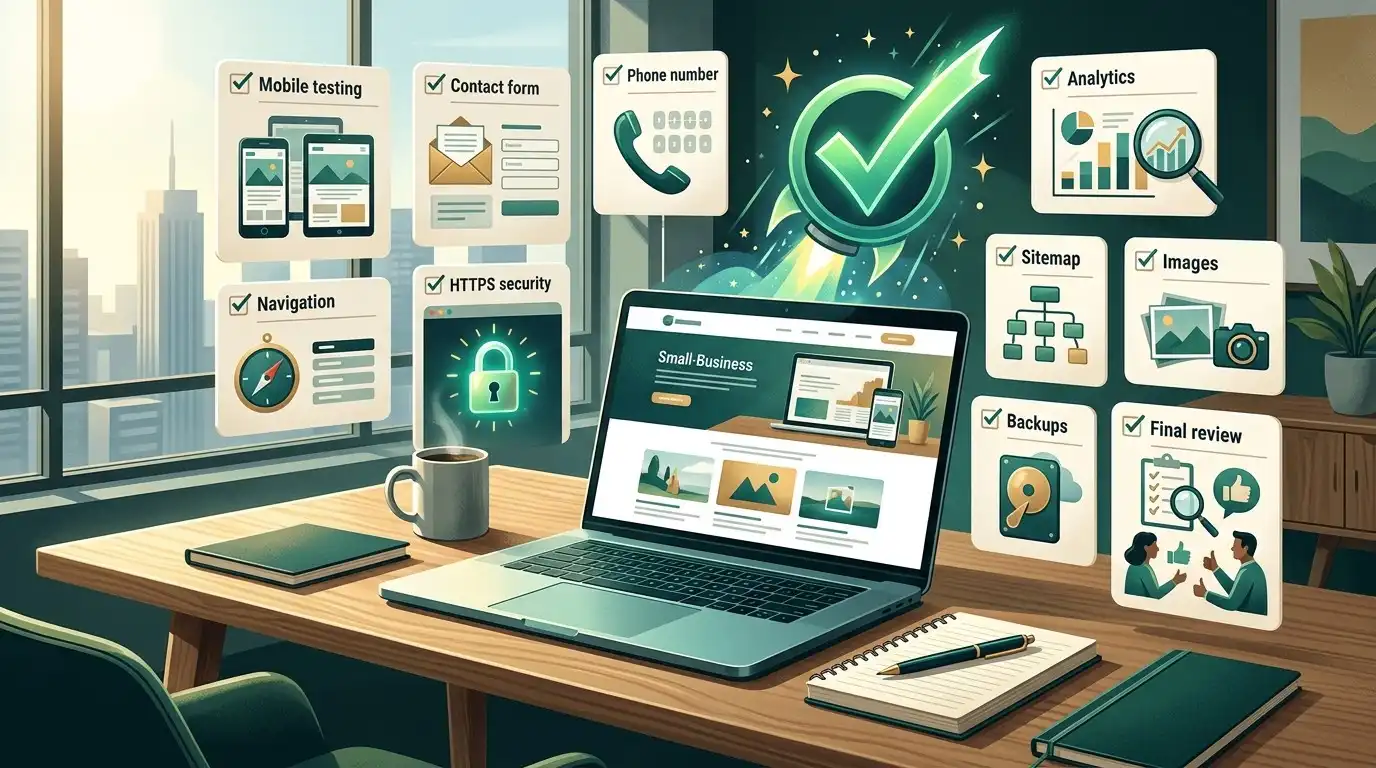
Before publishing, do this:
Minute 1–3
Open the homepage on your phone.
Minute 4–5
Find the primary service.
Minute 6
Find the phone number.
Minute 7
Submit the contact form.
Minute 8
Check whether the form email arrives.
Minute 9
Open the website on another device.
Minute 10
Click every main navigation link.
Minute 11
Check the address and business hours.
Minute 12
Check the homepage headline.
Minute 13
Check the images.
Minute 14
Check the footer.
Minute 15
Ask someone who has never seen the website:
“What does this business do?”
If they can’t answer quickly, you have a messaging problem.
That’s more important than whether the shadow under your buttons is perfect.
Step 19: Launch the Website
Once everything has been tested, publish it.
But don’t think:
“The website is finished.”
Think:
“Version 1 is live.”
This is a much healthier way to approach a business website.
You don’t need to predict everything customers will ever need.
You can learn from real visitors.
What to Do During the First 90 Days

The first few months after launch are useful.
Watch for:
- Questions customers keep asking
- Pages people visit
- Pages nobody visits
- Forms submitted
- Phone calls
- Search impressions
- Search queries
- Pages that perform well
- Pages that need improvement
You may discover that customers are constantly asking about one service.
That could become a dedicated page.
You may discover that your FAQ is extremely useful.
You may discover that visitors aren’t clicking the button you expected them to use.
Your website should evolve based on what you learn.
Don’t Try to Perfect Everything Before Launch
This is a huge trap.
Business owners sometimes spend months trying to make the website perfect.
Meanwhile, there is no website.
A better approach is:
Build → Launch → Learn → Improve.
That doesn’t mean launch something broken.
It means don’t spend three months debating whether the homepage should have a slightly different shade of blue.
Get the important things right:
- Clear message
- Good content
- Useful pages
- Strong calls to action
- Mobile usability
- Working forms
- Professional presentation
- Basic technical setup
Then improve it.
What Should You Spend Money On?
If your budget is limited, prioritize the things customers actually notice.
Spend more attention on:
- Clear messaging
- Good content
- Professional design
- Mobile experience
- Real photographs
- Trust signals
- Conversion paths
- Important service pages
- Website speed
- Technical reliability
Be careful about spending heavily on:
- Complicated animations
- Features nobody needs
- Huge numbers of pages
- Custom functionality with no business purpose
- Decorative effects
- Features added simply because competitors have them
A website is a business tool.
Don’t confuse complexity with quality.
What a Small Business Website Doesn’t Need
Your first website probably doesn’t need:
- 50 animations
- A video playing automatically
- A complicated chatbot
- Three different popups
- A giant image slider
- 30 menu items
- Every social network imaginable
- Dozens of unnecessary plugins
- A custom-built booking system if a good existing service works
- Hundreds of nearly identical pages
Start with what customers need.
Add complexity only when there’s a reason.
The Most Expensive Website Mistake
It isn’t necessarily choosing the wrong designer.
It isn’t choosing the wrong color.
It isn’t even choosing the wrong platform.
One of the most expensive mistakes is building a website without deciding what the website is supposed to accomplish.
You can spend thousands of dollars creating something that looks impressive but doesn’t answer basic customer questions.
You can spend months writing pages nobody needs.
You can add features nobody uses.
You can create a beautiful website that generates almost no inquiries.
The solution is surprisingly simple:
Define the job first.
Then build around it.
A Simple Small-Business Website Checklist
Before you consider your website finished, make sure you can answer “yes” to these questions:
Strategy
- Do I know what the website is supposed to accomplish?
- Do I know who the primary customer is?
- Do I have a clear primary call to action?
Content
- Does the homepage clearly explain what we do?
- Are the main services easy to find?
- Is our service area clear?
- Is our contact information accurate?
- Do we have real proof of our experience or quality?
Design
- Does the website look professional?
- Is it easy to navigate?
- Does it work properly on phones?
- Are important buttons easy to find?
Conversion
- Can someone call us easily?
- Can someone request a quote easily?
- Do contact forms actually work?
- Are there clear next steps?
SEO and technical
- Can search engines access the website?
- Are important pages properly structured?
- Is HTTPS working?
- Is the sitemap configured?
- Are analytics and search monitoring set up?
- Are backups and security handled?
Ownership
- Do I control the domain?
- Do I know who controls the hosting?
- Do I have access to my website?
- Do I know what happens if I stop working with the developer?
If you can answer yes to most of these, you’re in good shape.
The Best Way to Create a Small Business Website
There isn’t one perfect platform, one perfect design, or one perfect number of pages.
The process is more important.
Start with the business.
Then understand the customer.
Then define the website’s job.
Then plan the pages.
Then create the content.
Then design the website.
Then build it.
Then test it.
Then launch it.
Then improve it.
That’s a much better process than opening a website builder, choosing the prettiest template, and trying to figure out what the business should say afterward.
Final Thought
Your website doesn’t need to win a design award.
It needs to help a real person make a decision.
A potential customer should be able to arrive and quickly understand:
What do you do?
Can you help me?
Do you serve my area?
Why should I trust you?
What should I do next?
If the website answers those questions clearly, you’ve already accomplished something many much more expensive websites fail to do.
Start small if you need to.
Use WordPress or another platform that fits your needs.
Hire a professional if your time is better spent running the business.
Build more pages when customers need more information.
Add functionality when the business actually requires it.
And don’t confuse a complicated website with a successful one.
The best small-business website isn’t the one with the most features.
It’s the one that makes it easier for the right customer to choose the business.
Frequently Asked Questions
How much does it cost to create a small business website?
The cost varies widely depending on whether you build it yourself, hire a freelancer, or work with a professional web design company. A simple website may cost relatively little, while a more customized project can cost several thousand dollars or more.
How long does it take to create a small business website?
A simple website can potentially be completed in days or a few weeks. Larger projects involving more pages, content, custom functionality, or revisions can take considerably longer. The biggest delays often come from content, feedback, and decision-making rather than the actual technical construction.
Can I create my own small business website?
Yes. Website builders and WordPress make it possible for business owners to create their own websites. The tradeoff is usually your time. If you’re comfortable learning the tools and have the time available, DIY can be a reasonable option.
Is WordPress good for a small business website?
Yes. WordPress is a flexible option for many small businesses because it supports a large ecosystem of themes, plugins, and page-building tools. However, the platform itself doesn’t make a website successful. Content, structure, usability, design, and ongoing management still matter.
How many pages should a small business website have?
There is no universal number. A simple business may need only a few pages, while a company with many services or locations may need considerably more. Create pages when they provide useful information or serve a specific business purpose.
What should the homepage of a small business website include?
A homepage should generally explain what the business does, who it serves, where it operates, why customers should trust it, what services it provides, and what the visitor should do next.
Do I need professional photos for my website?
Not always, but real photographs can be extremely valuable, particularly for local businesses. Photos of your team, location, products, vehicles, projects, or completed work can provide authenticity that generic stock photography cannot.
Should I write the website content myself?
You can. In many cases, the business owner is actually the best source of information about the company’s customers, services, and expertise. A professional writer or web designer can then help organize and refine that information.
Should SEO be done before or after the website is built?
Basic SEO considerations should be part of the planning and website-building process rather than something added as an afterthought. More extensive SEO work can continue after launch as you gather data and create additional content.
What should I do after my website launches?
Monitor how people use it, look at search performance, pay attention to customer questions, check that forms and important functionality continue working, and improve pages based on what you learn.
Who should own my business website?
The business owner should generally maintain control of important assets such as the domain and key business accounts. Before hiring a designer or developer, clarify ownership and access so you aren’t dependent on a provider simply because they registered everything for you.