If you’re looking for a website for your small business, you’ve probably discovered something confusing:
One company says the website will cost $500.
Another quotes $2,500.
Another wants $7,500.
And another says the project will cost $15,000 or more.
So what should a small business actually pay for a website?
The uncomfortable answer is:
There isn’t one correct price.
A website isn’t like buying a television where you can compare two identical products and decide which one is cheaper.
Two websites can both have ten pages and still be completely different projects.
One might use a template, basic content, stock photography, and standard functionality.
The other might involve custom design, professional copywriting, photography, SEO strategy, custom functionality, integrations, extensive research, and months of revisions.
Both might be described as a “10-page website.”
They’re not remotely the same thing.
So instead of asking:
“How much does a website cost?”
a better question is:
“What am I actually getting for the money?”
That’s what this guide is about.
The Short Answer
For many small U.S. businesses, a professionally built website can reasonably fall somewhere from hundreds to several thousand dollars, depending on the complexity and level of service.
A simple brochure-style website may cost relatively little.
A professionally designed website with strategy, custom content, multiple service pages, integrations, ecommerce, or advanced functionality can cost considerably more.
There are also agencies and specialized firms that charge five figures for certain projects.
That doesn’t automatically mean they’re overpriced.
It also doesn’t mean you need to spend that much.
The right budget depends on the job the website needs to perform.
Why Website Prices Are So Different
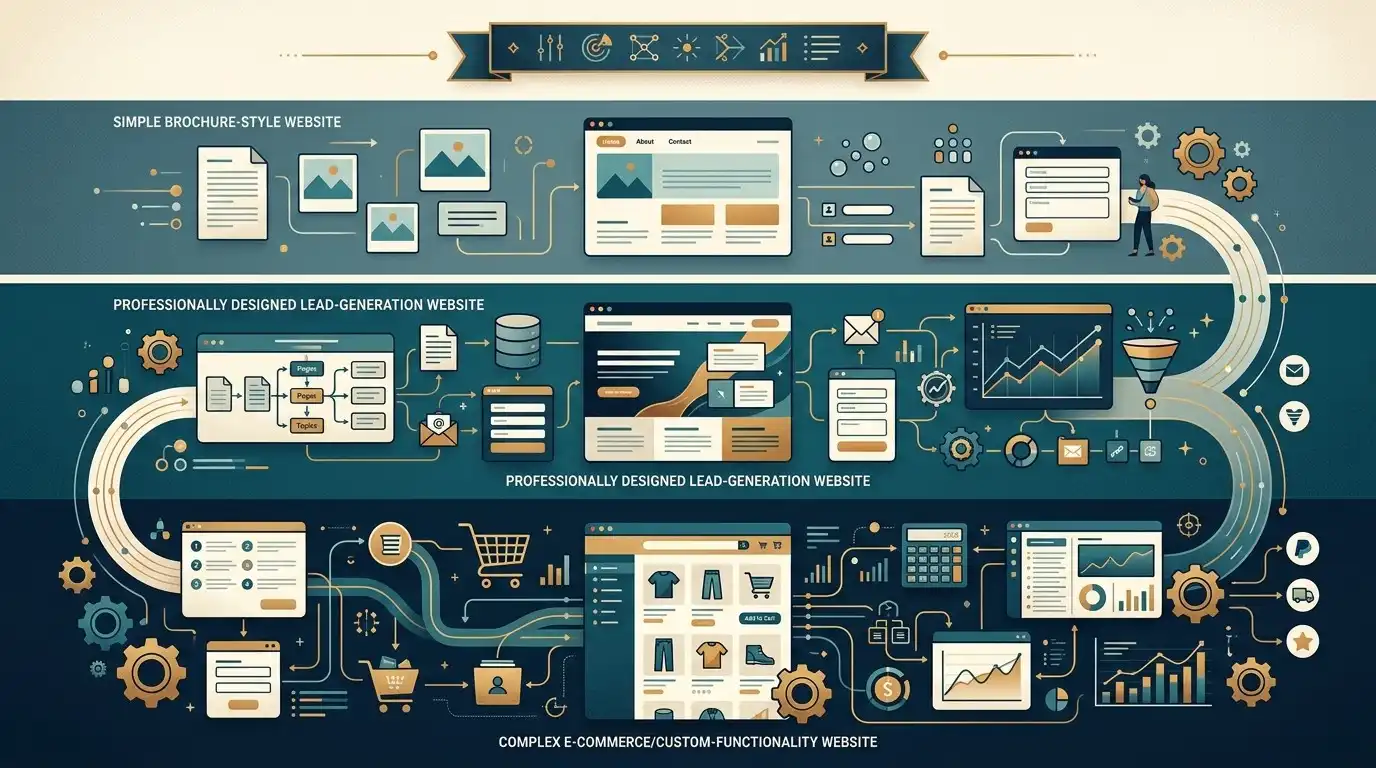
Let’s say three companies quote you:
Company A: $800
Company B: $3,000
Company C: $8,000
At first glance, you might think:
“They’re all building a website. Why is the price so different?”
Because “building a website” isn’t a sufficiently detailed description of the work.
Think about building a house.
A one-bedroom cabin and a large custom home are both technically houses.
That doesn’t make them equivalent projects.
The same thing happens with websites.
What Are You Actually Paying For?

A website project can include many different types of work:
- Strategy
- Research
- Sitemap planning
- UX planning
- Copywriting
- SEO research
- Branding
- Graphic design
- UI design
- Development
- WordPress setup
- Theme configuration
- Elementor or page-builder work
- Plugin configuration
- Ecommerce setup
- Forms
- Booking systems
- Integrations
- Analytics
- Search Console setup
- Image preparation
- Mobile optimization
- Performance optimization
- Testing
- Revisions
- Project management
- Training
- Maintenance
A quote becomes much easier to understand when you know which of these are actually included.
A $1,000 Website and a $5,000 Website May Not Be Comparable
Imagine two companies need websites.
Both websites have:
- 8 pages
- Contact form
- About page
- Services
- Mobile design
The first company provides:
- Template-based design
- Customer-provided text
- Stock images
- Basic setup
- One revision round
The second provides:
- Competitor research
- Custom page designs
- Professional copywriting
- Keyword research
- Custom graphics
- Real image preparation
- Conversion strategy
- Multiple revision rounds
- Analytics configuration
- Technical SEO
- Performance optimization
- Launch support
Both projects have eight pages.
But the amount of work is completely different.
This is why page count alone is a terrible way to compare website quotes.
What Should a Basic Small Business Website Cost?
A relatively simple website for a small business may include:
- Homepage
- About page
- Services page
- Contact page
- Several additional pages
- Mobile responsive design
- Contact form
- Basic SEO setup
- SSL
- Basic analytics
- Standard integrations
If the business provides most of the content and the website doesn’t require unusual functionality, the project can be relatively straightforward.
This is where lower-cost professional website packages can make sense.
The business doesn’t necessarily need a massive custom development project.
What Makes a Website More Expensive?
There are several major factors.
1. Number of Unique Pages
More pages generally mean more work.
But there’s an important distinction.
Ten pages that all use the same basic structure aren’t necessarily ten times harder than one page.
Ten completely different page layouts can be much more expensive.
2. Custom Design
A template can provide a useful starting point.
Custom design involves more work.
The designer may need to create:
- Layouts
- Typography
- Color systems
- Components
- Buttons
- Cards
- Forms
- Responsive layouts
- Mobile variations
- Unique sections
The more custom the design, the more design time is usually involved.
3. Content
Content is one of the most underestimated parts of a website project.
Someone has to write:
- Headlines
- Service descriptions
- About information
- Calls to action
- FAQs
- Product descriptions
- Blog posts
- Page titles
- Supporting content
If the business provides excellent content, the project can move faster.
If the designer is expected to create everything from scratch, the project becomes larger.
4. Photography
Images can also change the budget.
You may need:
- Professional photography
- Product photography
- Project photography
- Team photography
- Location photography
- Stock photography
- Image editing
- Image optimization
A restaurant, hotel, contractor, or ecommerce company may have very different photography requirements from a simple consulting business.
5. SEO
“SEO included” can mean almost anything.
This is why you should ask what it actually includes.
Basic SEO setup might include:
- Page titles
- Meta descriptions
- Heading structure
- Image optimization
- Sitemap
- Search engine submission
- Basic technical setup
More extensive SEO could involve:
- Keyword research
- Competitor analysis
- Search intent research
- Content strategy
- Link building
- Local SEO
- Ongoing content
- Technical audits
- Monthly reporting
Those are completely different services.
6. Custom Functionality
This is where website budgets can change dramatically.
A standard contact form is relatively straightforward.
A custom system that:
- Calculates estimates
- Accepts payments
- Connects to a CRM
- Syncs with inventory
- Manages appointments
- Creates customer accounts
- Generates documents
- Integrates with third-party APIs
can require substantially more development.
If your business needs custom functionality, expect to pay for it.
But if you don’t need it, don’t buy it just because it sounds impressive.
7. Ecommerce
An ecommerce website is generally more complicated than a simple business website.
You may need:
- Product pages
- Product categories
- Shopping cart
- Checkout
- Payment processing
- Shipping
- Taxes
- Inventory
- Customer accounts
- Order management
- Emails
- Returns
- Security
- Fraud prevention
- Product filtering
A small online store may be relatively straightforward.
A large store with complex products and integrations can become a significant project.
8. Integrations
Does the website need to connect to other software?
Examples include:
- CRM
- Email marketing
- Booking software
- Accounting software
- Payment systems
- Scheduling platforms
- Customer support systems
- Inventory systems
- Marketing automation
Every integration adds another layer of work and another potential point of failure.
The Biggest Pricing Question: Who Is Doing the Work?
You can build a website yourself.
You can hire a freelancer.
You can hire a small web design studio.
You can hire an agency.
You can hire a large digital firm.
The price can vary significantly.
But you’re also buying different levels of involvement.
DIY Website

You may spend relatively little money on the actual platform.
But you’re paying with something else:
Your time.
You’ll need to handle:
- Learning the platform
- Design
- Content
- Images
- Mobile layout
- SEO basics
- Forms
- Updates
- Troubleshooting
- Launch
If you enjoy doing this and have the time, that’s perfectly reasonable.
If you’re running a plumbing company and spending your evenings watching tutorials about responsive CSS, the economics may look very different.
Your time has value too.
Freelancer
A freelancer can often provide a good balance between price and professional help.
You may get:
- Custom design
- WordPress development
- Content assistance
- Basic SEO
- Setup
- Revisions
- Launch support
But freelancers vary enormously.
Some are highly experienced.
Some are learning.
Some specialize in design.
Some specialize in development.
Some are effectively selling templates.
Ask what is actually included.
Small Web Design Studio
A small studio may offer a more structured process.
You may get:
- Discovery
- Strategy
- Design
- Development
- Content
- Testing
- Launch
- Support
The price is usually higher than doing everything yourself, but you’re paying for someone else to manage the project.
Agency
An agency may involve multiple specialists:
- Strategist
- Designer
- Copywriter
- Developer
- SEO specialist
- Project manager
That can be valuable for larger projects.
But a five-person team isn’t necessarily necessary for a five-page website.
The question is whether the additional expertise solves a real problem.
The $500 Website Question
Let’s address this directly.
Can you get a website for $500?
Yes.
Can it be useful?
Absolutely.
But you need to understand what you’re buying.
At that price, you may be getting:
- A template
- Basic customization
- Customer-provided content
- Limited revisions
- Standard functionality
- Minimal strategy
- Limited ongoing support
There is nothing inherently wrong with that.
For a brand-new business with a tight budget, a simple professional website may be far better than having no website.
The problem isn’t that a $500 website exists.
The problem is assuming that a $500 website includes everything a $5,000 project includes.
It doesn’t.
What About a $10,000 Website?
Does spending $10,000 automatically produce a better website?
No.
Price doesn’t guarantee quality.
A $10,000 project can be excellent.
It can also be unnecessarily complicated.
The value depends on what you’re getting.
A $10,000 website may make sense for a business that needs:
- Extensive research
- Custom UX
- Brand development
- Complex integrations
- Ecommerce
- Custom functionality
- Professional copywriting
- Photography
- Advanced SEO
- Conversion optimization
- Ongoing support
It may make much less sense for a local business that simply needs:
- Home
- About
- Services
- Contact
- Reviews
Don’t confuse a high price with high value.
The Website Quote You Should Actually Want
Instead of asking:
“How much is the website?”
ask for a breakdown.
For example:
Strategy
What research and planning are included?
Design
How many unique page designs?
Development
What platform is being used?
Content
Who writes the content?
Images
Who provides them?
SEO
What exactly is included?
Functionality
Which forms, booking systems, ecommerce features, or integrations are included?
Revisions
How many rounds?
Testing
What devices and browsers are tested?
Launch
Is launch included?
Training
Will someone show you how to manage the website?
Maintenance
What happens after launch?
Now you can compare quotes based on something meaningful.
Beware of the “Unlimited Revisions” Trap
Unlimited revisions sounds fantastic.
But ask what it means.
Does it mean:
“You can request reasonable changes while we’re building the agreed design.”
Or:
“You can redesign the entire website six months after the project begins.”
Those are very different things.
A good website project should have a clear revision process.
What Should Be Included in a Professional Website Quote?
For a typical small-business website, I’d want the proposal to clearly identify:
- Number of pages
- Platform
- Design approach
- Mobile responsiveness
- Content responsibilities
- Image responsibilities
- Contact forms
- Basic SEO setup
- Analytics
- Sitemap
- SSL
- Domain responsibilities
- Hosting responsibilities
- Number of revisions
- Estimated timeline
- Launch process
- Post-launch support
- Maintenance costs
The more clearly this is documented, the fewer surprises you’ll have later.
The Hidden Costs of a Cheap Website

A cheap initial price can become expensive if important things aren’t included.
For example:
Website: $700
Then:
Content: $600
Mobile fixes: $300
Additional pages: $500
Contact form setup: $150
Basic SEO: $400
Speed optimization: $250
Updates: $300/year
Suddenly the original price doesn’t tell the whole story.
That’s why you should compare the total project cost, not just the headline number.
The Opposite Problem: Paying for Things You Don’t Need
The opposite can happen too.
Imagine a business receives a $15,000 proposal containing:
- Custom animation
- Complex interactive maps
- Custom booking engine
- Advanced CRM integration
- 50-page content strategy
- Custom dashboard
But the business really needs a simple website to generate phone calls.
That’s not necessarily a good investment.
A website should be designed around the business problem.
Not around how many features the agency can sell.
Ask This Question Before Spending More
Whenever someone recommends an expensive feature, ask:
“What business problem does this solve?”
Not:
“What does this feature do?”
Ask:
What problem does it solve?
For example:
Chatbot
Does it actually reduce customer-service workload or generate leads?
Booking system
Does it reduce scheduling friction?
CRM integration
Does it save staff time or improve lead management?
Custom calculator
Does it help qualified customers decide to contact you?
Blog
Is there a real content strategy behind it?
If the answer is vague, think carefully before spending the money.
The Cost of Not Having a Website
There’s another side to the calculation.
Business owners sometimes focus entirely on:
“How much will the website cost?”
But there can also be a cost to not having one.
A potential customer searches for your business.
They find competitors with professional websites.
Your company has an outdated Facebook page and a phone number.
Who looks more established?
Or perhaps a customer receives a recommendation for your business but can’t easily find information about:
- Services
- Hours
- Location
- Reviews
- Contact information
The website isn’t just an expense.
It can also be a sales and information tool.
Your Website Budget Should Match Your Business
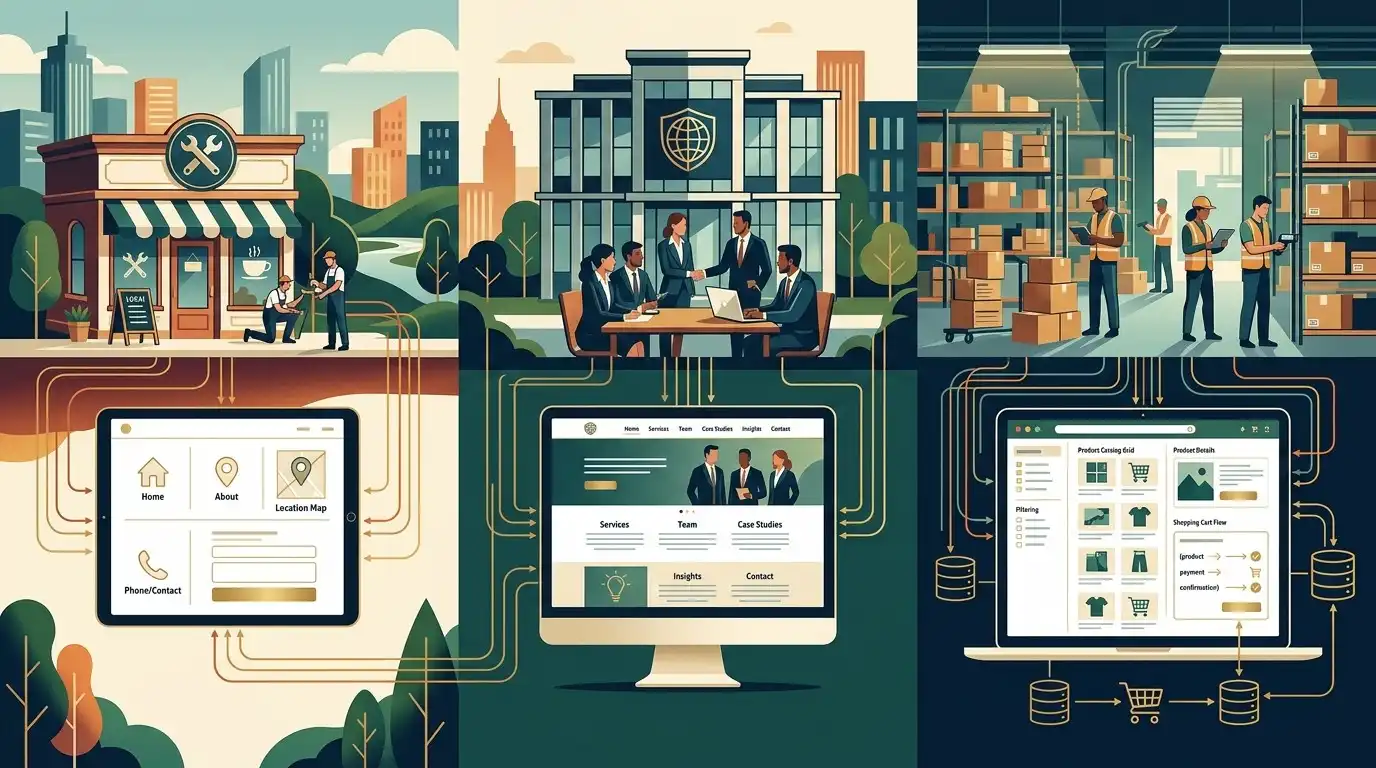
A new solo business probably shouldn’t spend the same amount as a company generating millions in annual revenue.
Likewise, a business that relies heavily on online leads may reasonably invest more than a business that gets almost all of its customers through referrals.
Think about the role of the website.
If the website is mostly informational
You may not need a huge budget.
If the website generates leads
Invest more in content, conversion, and usability.
If the website sells products
Invest more in ecommerce functionality and user experience.
If the website supports a large sales process
Invest in integrations and lead management.
The website budget should make sense in relation to the business.
A Simple Way to Think About Website Budget
Instead of starting with:
“I have $2,000. What website can I get?”
try:
“What does my business need the website to accomplish?”
Then determine what is required to achieve that goal.
For example:
Goal: Generate local service inquiries.
You may need:
- Professional homepage
- Service pages
- Local information
- Reviews
- Quote request
- Mobile-friendly design
- Basic SEO
- Analytics
You may not need:
- Custom customer portal
- Ecommerce
- Complex animation
- Dozens of integrations
That keeps the budget connected to the outcome.
What Should You Spend More Money On?
If your budget is limited, I’d prioritize:
1. Good messaging
People need to understand what you do.
2. Strong service pages
Customers need useful information.
3. Professional design
The website needs to look trustworthy.
4. Mobile experience
Your customers need to be able to use it.
5. Real photography
Especially for local businesses.
6. Conversion paths
Make contacting you easy.
7. Technical quality
The site should work properly.
8. Useful SEO
Build a foundation for search visibility.
These generally matter more than decorative effects.
What Can You Spend Less On?
Depending on the business, you may be able to reduce costs by:
- Using a professional template as a starting point
- Providing your own photos
- Providing existing business information
- Writing initial content yourself
- Limiting the number of revisions
- Starting with fewer pages
- Using established plugins instead of custom development
- Using standard booking or payment systems
- Launching in phases
There’s nothing wrong with starting simple.
Start With Version 1
You don’t necessarily need the final, ultimate website on day one.
You can start with:
- Homepage
- Services
- About
- Contact
- Reviews
- A few important service pages
Then add:
- More service pages
- FAQs
- Case studies
- Blog content
- Resources
- Additional functionality
as the business grows.
This can be much more sensible than spending a huge amount upfront trying to predict everything the business will ever need.
One of the Best Questions to Ask a Web Designer
Before hiring someone, ask:
“What would you leave out if this were your business and you had my budget?”
It’s a surprisingly revealing question.
A good designer should be able to prioritize.
They should be able to tell you:
“You don’t need that yet.”
That’s often more valuable than someone who says:
“Absolutely, we can add that.”
Another Important Question: What Happens After Launch?
The website launch isn’t necessarily the end of your expenses.
You may need:
- Hosting
- Domain renewal
- Plugin licenses
- Theme licenses
- Security
- Backups
- WordPress updates
- Content updates
- SEO
- New pages
- Design changes
- Technical support
Ask about these costs before signing the contract.
A website with a low initial price can have significant ongoing costs.
A more expensive website may include maintenance.
Compare the whole picture.
Don’t Let Someone Hold Your Website Hostage
This deserves its own section.
Before paying for a website, make sure you understand who controls:
- Domain registration
- Hosting
- WordPress administrator access
- Premium plugin licenses
- Analytics
- Search Console
- Business email
You don’t want to discover two years later that everything is registered under someone else’s account and you can’t access it.
Your business should retain appropriate control over its important digital assets.
How to Compare Three Website Quotes

Imagine you receive these proposals:
Proposal A
$1,200
8 pages
Template-based design
Customer-provided content
Contact form
Basic setup
Proposal B
$3,500
10 pages
Custom design
Content assistance
Mobile optimization
SEO setup
Analytics
Multiple revisions
Launch support
Proposal C
$9,000
15 pages
Custom UX research
Professional copywriting
Custom development
Photography
Advanced integrations
SEO strategy
Conversion optimization
Ongoing support
Which is the best?
There is no universal answer.
If you’re a small local business that needs a straightforward lead-generation website, Proposal C may be unnecessary.
If you’re launching a major company and need everything in Proposal C, Proposal A may be inadequate.
The right question isn’t:
“Which one is cheapest?”
It’s:
“Which proposal gives my business what it actually needs?”
A Website Is an Investment, But Don’t Treat It Like a Gamble

You don’t need to spend the most money.
You don’t need to spend the least.
You need to spend intelligently.
A $1,500 website that consistently generates qualified inquiries can be a better investment than a $10,000 website that nobody uses.
Likewise, a $10,000 website can be an excellent investment if it supports a business that needs sophisticated functionality and generates substantial revenue.
Price needs context.
The Website Pricing Checklist
Before agreeing to a website project, ask:
Scope
- How many pages are included?
- How many unique page designs?
- What functionality is included?
- Is ecommerce included if needed?
Content
- Who writes the content?
- Who provides images?
- Is copywriting included?
- Are revisions included?
Design
- Is it template-based or custom?
- Is mobile design included?
- Are desktop and mobile layouts tested?
SEO
- What does “SEO included” actually mean?
- Is keyword research included?
- Is technical SEO included?
- Is ongoing SEO included?
Technical
- Who owns the domain?
- Who owns the hosting?
- Is SSL included?
- Are backups included?
- Are security updates included?
Launch
- Is testing included?
- Is launch included?
- Is analytics configured?
- Is Search Console configured?
After launch
- What happens when the project ends?
- What does maintenance cost?
- What happens if something breaks?
- Can another developer take over?
So, What Should You Actually Pay?
Here’s the most honest answer:
Pay for the website your business actually needs.
If you’re a new local business that needs a professional online presence, you probably don’t need a $20,000 custom development project.
If you’re an established company that depends heavily on online leads, ecommerce, or complex workflows, a very cheap website may become a false economy.
Instead of picking a number from the internet, work backward.
Start with:
What does the website need to accomplish?
Then:
What does the customer need?
Then:
What functionality is actually necessary?
Then:
What level of design and content quality do we need?
Then:
What will it cost to build and maintain?
That’s how you arrive at a sensible budget.
Final Thought
The cheapest website isn’t always the best deal.
The most expensive website isn’t automatically the best either.
The best deal is the website that gives your business the right combination of:
Quality + usefulness + reliability + maintainability + cost.
Don’t pay thousands of dollars for features your customers don’t need.
But don’t choose the cheapest quote simply because the number looks attractive either.
Look underneath the price.
Find out what work is included.
Find out what isn’t.
Find out who owns the important accounts.
Find out what happens after launch.
And most importantly, make sure the website is being built around a real business objective.
Because at the end of the day, you’re not really buying ten pages of WordPress.
You’re buying a tool that should help your business get found, build trust, answer questions, and make it easier for the right customers to contact you.
That’s what the price should be measured against.
Frequently Asked Questions
How much does a small business website cost in 2026?
The price varies considerably depending on the number of pages, design requirements, content, functionality, ecommerce needs, SEO, integrations, and who builds the website. A simple website can cost hundreds of dollars, while professionally designed or complex websites can cost several thousand dollars or more.
Is $500 enough for a small business website?
It can be, particularly for a relatively simple website using an existing template or when the business provides much of the content. However, you should carefully check what is included before comparing a $500 website with a more comprehensive professional project.
Is $5,000 too much for a small business website?
Not necessarily. A $5,000 website may be reasonable if it includes substantial design, content, SEO, strategy, photography, functionality, or other professional services. The price should be evaluated based on the scope of the project rather than the number alone.
Is a $10,000 website worth it?
It can be for a business that needs sophisticated design, custom functionality, ecommerce, integrations, extensive content, or strategic services. It may be unnecessary for a simple local business that only needs a straightforward lead-generation website.
Should I hire a freelancer or an agency?
Either can work. A freelancer may offer a more affordable solution, while an agency may provide a larger team and broader range of services. The important thing is to evaluate the actual skills, process, scope, and support being offered.
Why do website designers charge so much?
You’re generally paying for more than the website itself. The project can involve strategy, design, content, development, SEO, project management, testing, integrations, revisions, and support.
Should website hosting be included in the website price?
It can be, but you should understand whether hosting is included temporarily or permanently and what you’ll pay after the initial period. Also clarify who controls the hosting account.
Should I pay separately for SEO?
It depends on what you mean by SEO. Basic SEO setup may be included in website development, while ongoing SEO involving content, keyword research, link building, technical work, and monitoring is usually a separate service.
How can I reduce the cost of a website?
You can reduce costs by starting with fewer pages, providing your own content and photographs, using an established template, limiting revisions, and avoiding custom functionality that isn’t necessary.
What should I ask before hiring a web designer?
Ask about the number of pages, design process, content, revisions, SEO, hosting, domain ownership, functionality, timeline, launch, maintenance, and what happens if you stop working with the designer.
Who should own my website domain?
The business owner should generally maintain control of the domain registration and other important business accounts. Make sure you understand who owns and controls these assets before starting the project.
Is a cheap website better than having no website?
For many businesses, a simple professional website can be much more useful than having no website at all. A basic website can always be improved later as the business grows.