If you’re building a website for your small business, one of the first questions you’ll probably ask is:
“What pages should my website have?”
The usual answer is something like:
- Home
- About
- Services
- Blog
- Contact
And that’s not wrong.
But it’s not really the question you should be asking.
A better question is:
“What does a potential customer need to know before they’re comfortable contacting me?”
That changes everything.
A website isn’t a collection of pages.
It’s a path that takes someone from:
“Who are these people?”
to:
“They can solve my problem.”
to:
“I trust them.”
to:
“Here’s how I contact them.”
And different businesses need different information to make that journey happen.
A local plumber doesn’t need the same website structure as an accounting firm.
A restaurant doesn’t need the same pages as a law firm.
An ecommerce company doesn’t need the same information as a roofing contractor.
So instead of giving you another arbitrary list of pages, this guide explains what a small business website should actually contain, why each element matters, and what you can leave out.
The 7 Questions Every Small Business Website Should Answer
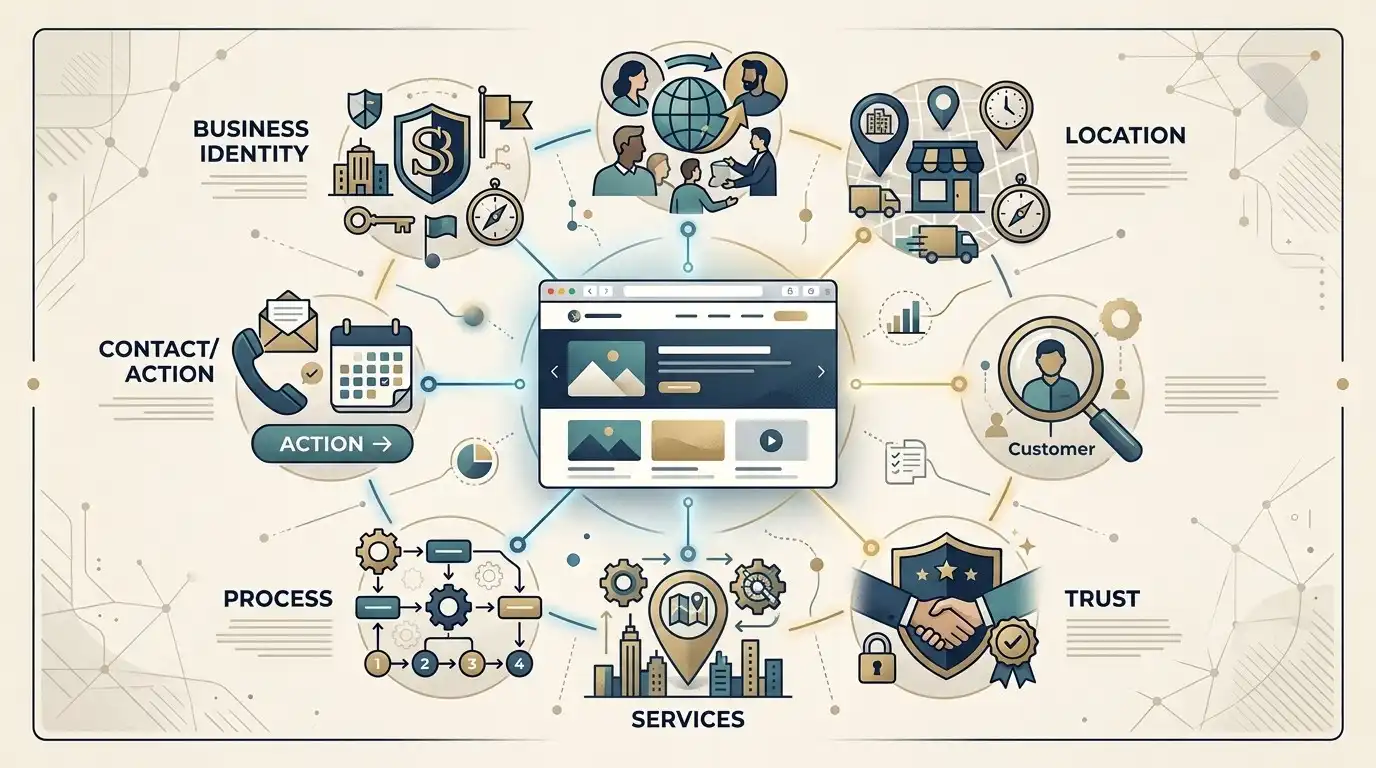
Before thinking about pages, think about questions.
A potential customer should be able to find answers to these seven questions:
1. What do you do?
2. Who do you do it for?
3. Where do you do it?
4. Why should I trust you?
5. What exactly can I buy or hire you for?
6. What happens if I contact you?
7. How do I take the next step?
If your website answers those questions clearly, you’ve already solved much of the problem.
Everything else is secondary.
1. Your Website Needs a Clear Homepage
The homepage is usually the first place people land.
But its job isn’t to tell visitors everything about your company.
Its job is to help visitors quickly understand what the business does and where they should go next.
A strong homepage should usually communicate:
- What you do
- Who you serve
- Where you operate
- Your main benefit or differentiator
- Your primary call to action
- Your major services
- Evidence that you’re legitimate
- Enough information to encourage the next step
For example, imagine a company called Smith Roofing.
A weak headline might say:
Quality You Can Count On
It sounds pleasant.
It also tells the customer almost nothing.
A clearer headline would be closer to:
Residential Roofing Services in Phoenix
Now the visitor immediately knows what the company does and where it operates.
That’s much more useful.
Your Homepage Is Not Your About Page
This distinction is surprisingly important.
Many businesses use their homepage to talk almost entirely about themselves.
They start with:
“Smith Roofing was founded in 1998 by…”
The customer may eventually want to know that.
But first, they want to know whether you can solve their problem.
A useful homepage usually puts the customer’s needs first.
Then it provides the company story, credentials, experience, and other trust information.
2. Your Website Needs a Clear Explanation of Your Services
This sounds obvious.
Yet many small-business websites make visitors work surprisingly hard to figure out what they actually sell.
Don’t just write:
“We provide complete solutions for residential and commercial customers.”
Complete solutions for what?
Be specific.
If you’re a cleaning company, say what you clean.
If you’re an accountant, explain what accounting services you provide.
If you’re a contractor, explain what types of projects you handle.
If you’re a lawyer, explain the areas of law you practice.
The more complicated your services are, the more important this becomes.
Should Every Service Have Its Own Page?
Not necessarily.
If you have three simple services that are closely related, one services page might be perfectly adequate.
But if each service:
- Solves a different problem
- Has different customers
- Has different pricing considerations
- Has different search demand
- Requires different explanations
- Has different FAQs
then separate pages can make sense.
For example, a plumbing company might have:
Plumbing Repair
Water Heater Services
Drain Cleaning
Sewer Services
Those aren’t just four names.
They’re four different customer problems.
Giving each one enough space to explain the problem and solution can make the website much more useful.
3. Your Website Needs a Reason to Trust You
This is one of the most important sections on a small-business website.
A visitor doesn’t know you.
They may have found you through Google.
They may have received your name from a friend.
They may have clicked an advertisement.
Either way, there’s a trust gap.
Your website needs to help close it.
But there’s an important distinction:
Don’t just tell people you’re trustworthy. Give them evidence.
What Counts as Trust Evidence?
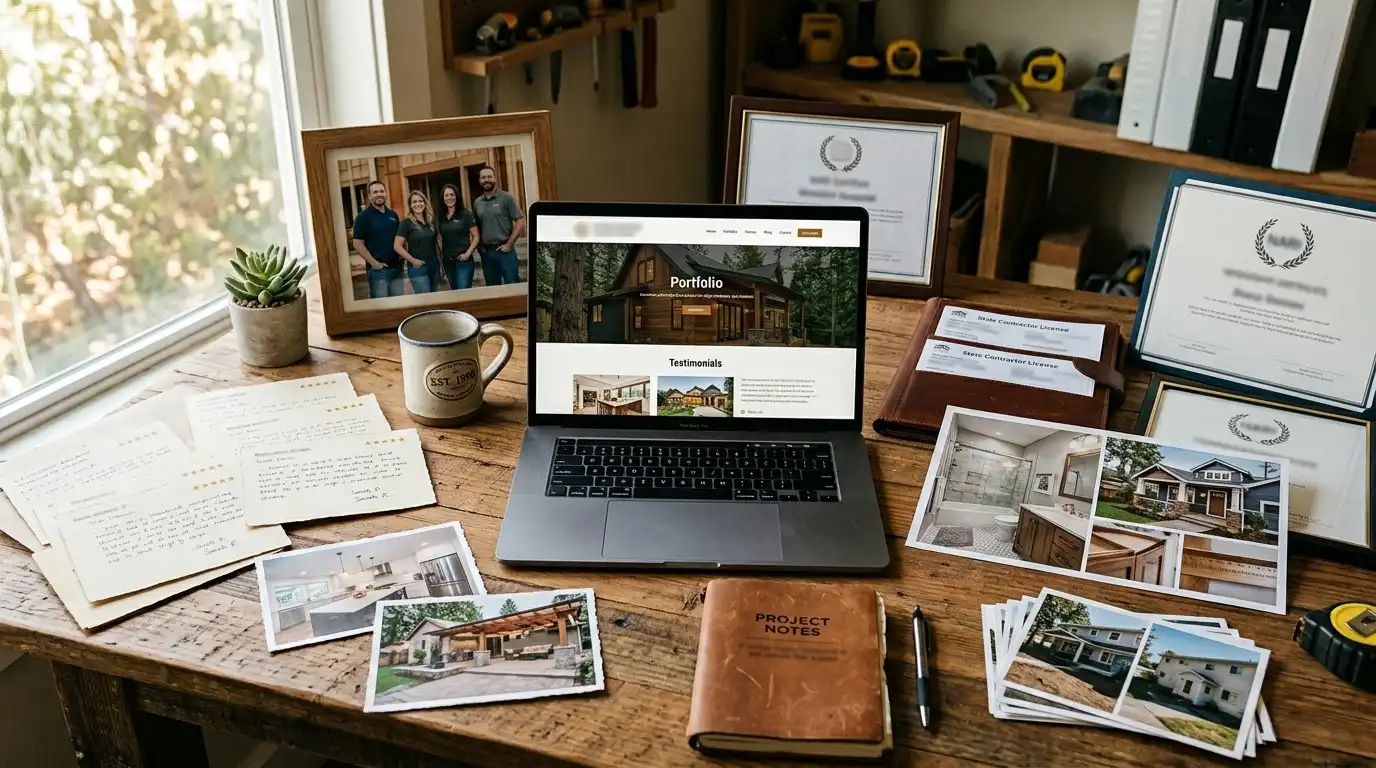
Depending on the business, you might include:
- Customer reviews
- Testimonials
- Years in business
- Licenses
- Certifications
- Awards
- Professional memberships
- Before-and-after photos
- Completed projects
- Case studies
- Team credentials
- Guarantees
- Service warranties
- Real business address
- Real photographs
- Number of customers served, when the figure is accurate
Not every business needs all of these.
Use the evidence that actually applies to you.
Specific Beats Generic
Compare these two statements:
“We provide exceptional customer service.”
and:
“We’ve served homeowners throughout central Ohio since 2011.”
The first is a marketing claim.
The second gives the visitor something concrete.
Here’s another example:
“We’re highly experienced.”
versus:
“Our team has completed more than 800 residential remodeling projects.”
Specific information tends to be more useful because visitors can actually evaluate it.
Of course, only publish claims that are accurate and can be supported.
4. Your Website Needs an About Page
The About page still matters.
But it shouldn’t be a five-paragraph autobiography.
The customer doesn’t necessarily care about every detail of your history.
They care about the parts of your story that help them understand and trust the business.
A good About page might explain:
- Who owns the business
- How long you’ve been operating
- Why the business exists
- Your experience
- Your team
- Your approach
- Relevant qualifications
- What makes your business different
If your business has an interesting origin story, include it.
If your founder has 25 years of industry experience, mention it.
If your company was built around a particular philosophy, explain it.
Just make sure the story connects back to the customer.
5. Your Website Needs Real Contact Information
This sounds almost too obvious to mention.
Yet it gets surprisingly complicated on some websites.
Your contact information should be easy to find.
Depending on the business, that might include:
- Phone number
- Physical address
- Service area
- Business hours
- Contact form
- Appointment link
- Directions
- Social profiles
If phone calls are your primary lead source, don’t bury the phone number in the footer.
Put it where customers can see it.
Don’t Make the Contact Form an Interrogation
A common mistake is creating a huge contact form.
Name.
Email.
Phone.
Address.
Company.
Budget.
Project type.
Timeline.
How did you hear about us?
Preferred date.
Preferred time.
Detailed description.
Upload three documents.
And finally:
“Submit.”
That’s a lot of work for someone who may just be trying to ask a question.
Only request information you genuinely need at that stage.
You can collect additional information later.
6. Your Website Needs a Clear Call to Action
A visitor shouldn’t have to guess what to do next.
The appropriate action depends on the business.
Examples include:
Call Now
Request a Quote
Schedule a Consultation
Book an Appointment
Get a Free Estimate
Order Online
View Our Menu
Shop Now
Request More Information
The call to action should reflect what the business actually wants the visitor to do.
One Primary Action Is Usually Better Than Five
Imagine the top of a website has these buttons:
Call Us
Email Us
Learn More
View Services
Book Now
Download Guide
Follow Instagram
Get Directions
Chat With Us
Request Pricing
That’s a lot of choices.
Sometimes the business genuinely needs several options.
But don’t confuse having options with having clarity.
For many small businesses, it’s better to identify one primary action and make it obvious.
Secondary actions can still exist.
They just shouldn’t compete equally for attention.
7. Your Website Needs to Explain What Happens Next
This is something many websites completely ignore.
Imagine a visitor clicks:
Request a Quote
What happens?
Do they fill out a form?
Does someone call them?
How quickly?
Do you schedule an inspection?
Is the estimate free?
Do they need to provide photographs?
A simple explanation can remove uncertainty.
For example:
How It Works
1. Tell us what you need
Submit the short request form.
2. We’ll contact you
A member of our team reviews the request.
3. Get your estimate
We’ll discuss the project and provide the next steps.
This is not complicated.
But it answers a question the customer may already have.
The Hidden Conversion Problem: Uncertainty
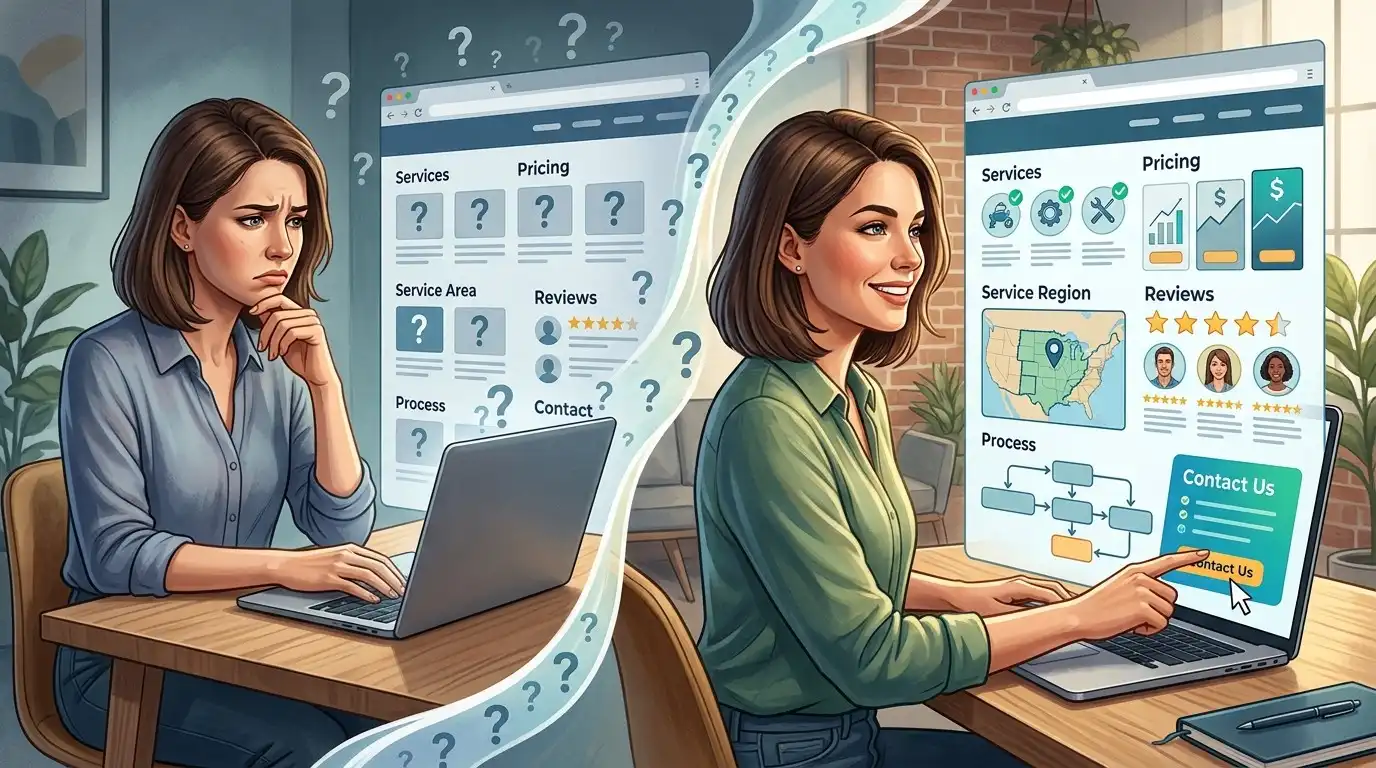
Here’s an idea I wish more small-business websites considered.
A lot of visitors don’t leave because they dislike the website.
They leave because they’re uncertain.
They’re thinking:
- Will they call me immediately?
- Is the estimate free?
- Do they serve my neighborhood?
- Are they expensive?
- Will I be pressured?
- Do they actually handle my type of project?
- What happens after I submit the form?
- Is this company legitimate?
You don’t need to answer every possible question on the homepage.
But you should identify the uncertainties that stop your customers from taking action.
Then answer them.
That’s often more valuable than adding another fancy design element.
8. Your Website Should Include Pricing Information When Appropriate
There is no universal rule that every business needs to publish prices.
For some businesses, prices are straightforward.
For others, pricing depends on the project.
A restaurant obviously needs to provide menu pricing.
An online store needs product pricing.
A consultant may have standardized packages.
A contractor may need to inspect the property before providing an estimate.
In that case, you can explain how pricing works without pretending you have a fixed price.
For example:
“Project pricing depends on the size, materials, and scope of the work. Contact us for a customized estimate.”
That’s more useful than simply saying:
“Contact us for pricing.”
9. Your Website Should Include Frequently Asked Questions
FAQs are useful when they’re based on actual customer questions.
Don’t create 40 questions because you read somewhere that “FAQ pages are good for SEO.”
Start with questions customers actually ask.
Examples:
Do you serve my area?
How soon can you start?
Do you provide free estimates?
Do you offer emergency service?
How long does the process take?
What payment methods do you accept?
Do you offer financing?
What happens after I contact you?
Are you licensed and insured?
The answers should be genuinely helpful.
FAQs Can Do More Than Answer Questions
A good FAQ section can also reduce friction.
Suppose a customer is interested in your service but is worried about the process.
You answer that concern.
Now they have one less reason to hesitate.
That’s the real purpose of an FAQ.
Not filling a page with keywords.
10. Your Website Should Include a Service Area When Location Matters
If you’re a local business, tell people where you operate.
This might be:
- A city
- Several cities
- A county
- A region
- A state
- A defined service radius
Don’t make customers guess.
For example:
“We provide residential HVAC services throughout Austin and surrounding communities.”
That’s useful.
A vague statement such as:
“Serving customers nationwide.”
isn’t useful if you’re actually a local HVAC company.
Be accurate.
Should You Create a Page for Every City You Serve?
Not automatically.
This is one of the areas where businesses can accidentally create a huge pile of low-value pages.
If you genuinely have something useful to say about serving a particular location, a location page can make sense.
But changing:
“We provide plumbing services in Dallas.”
to:
“We provide plumbing services in Fort Worth.”
and then:
“We provide plumbing services in Arlington.”
without adding meaningful location-specific information isn’t a great content strategy.
A useful location page should actually help someone in that location.
For example, it might discuss:
- The services you provide there
- Local service logistics
- Specific neighborhoods or areas you genuinely cover
- Relevant project examples
- Local customer questions
- Real local work
The page should exist for the customer first.
11. Your Website Should Have Real Photos
This is especially important for local businesses.
Show:
- Your team
- Your office
- Your vehicles
- Your equipment
- Your projects
- Your products
- Your storefront
- Your work
A generic stock image of a smiling person wearing a hard hat doesn’t prove that you actually perform construction work.
A photograph of your actual team standing beside one of your completed projects does.
That’s a completely different kind of evidence.
12. Your Website Should Include Testimonials or Reviews
If customers have given you positive feedback, use it.
But don’t manufacture testimonials.
Don’t turn three words like:
“Great service!”
into a paragraph of marketing copy.
Use authentic feedback.
And whenever possible, provide context.
For example:
“They replaced our water heater the same day and explained everything before starting.”
That tells a potential customer much more than:
“Amazing company!”
13. Your Website Should Include a Footer That Actually Helps
The footer is often ignored.
It shouldn’t be.
A useful footer can include:
- Business name
- Phone number
- Address
- Business hours
- Main navigation
- Important service links
- Service area
- Social links
- Privacy policy
- Terms where appropriate
The footer is particularly useful because visitors often go there when they’re looking for contact information or something they couldn’t find elsewhere.
14. Your Website Needs Basic Legal and Privacy Information
The exact requirements depend on your business, location, website functionality, and the information you collect.
At minimum, think about whether your website needs:
- Privacy policy
- Terms and conditions
- Cookie disclosures
- Accessibility information
- Industry-specific notices
- Ecommerce policies
- Refund/return policies
Don’t copy a random legal page from another website and assume you’re covered.
If your business has significant legal or regulatory requirements, get appropriate professional advice.
15. Your Website Needs a Mobile-Friendly Design
A website can look fantastic on a 27-inch monitor and still be terrible on a phone.
That isn’t good enough.
Test the actual experience.
Check:
- Navigation
- Font sizes
- Buttons
- Forms
- Images
- Tables
- Phone numbers
- Maps
- Popups
- Menus
If someone has to zoom in to read your website, something has gone wrong.
16. Your Website Should Load Reasonably Fast
Visitors don’t want to wait around for a giant hero image to load.
You don’t need to obsess over milliseconds.
But you should avoid obvious problems such as:
- Huge uncompressed images
- Excessive animation
- Unnecessary scripts
- Too many plugins
- Autoplay video
- Heavy third-party widgets
A beautiful website that takes forever to load isn’t a beautiful experience.
17. Your Website Should Be Easy to Navigate
Your navigation should help visitors answer:
“Where do I go next?”
A small business usually doesn’t need a giant corporate navigation menu.
For example:
Home | Services | About | Reviews | FAQ | Contact
might be plenty.
If there are 17 items in your main menu, ask whether all 17 really need to be there.
Don’t Hide Services Under Clever Names
This happens more often than it should.
Instead of:
Solutions
use:
Services
Instead of:
Explore
use:
Our Work
Instead of:
Connect
use:
Contact
Creative naming can be useful for some brands.
But when customers are trying to find information, clarity usually wins.
18. Your Website Should Include Search-Friendly Page Titles and Headings
This is one of the less visible but important parts of the website.
Each important page should clearly communicate what it’s about.
For example:
Residential Roofing Services in Phoenix
is much more informative than:
Our Solutions
The same principle applies to headings.
Don’t make every heading clever.
Make it useful.
19. Your Website Should Have Useful Internal Links
If you mention a service on your homepage, link to its service page.
If an article discusses a service, link to the relevant service page.
If a service page mentions another related service, link to it.
This helps visitors navigate and helps search engines understand the relationship between your pages.
Think of internal links as the roads connecting your website.
Without them, individual pages can become isolated islands.
20. Your Website Should Have a Way to Keep Improving
This is the part that is almost never included in “what should my website include?” articles.
Your website should include a feedback loop.
Not necessarily a literal feedback form.
A system for learning.
Watch:
- Which pages attract visitors
- Which pages generate inquiries
- Which search queries bring people in
- Which questions customers keep asking
- Which services generate the most interest
- Which pages people leave quickly
- Which calls to action get used
- Which pages need better explanations
Then improve the website.
A website isn’t a brochure carved into stone.
It’s an evolving business asset.
What Different Small Businesses Should Include
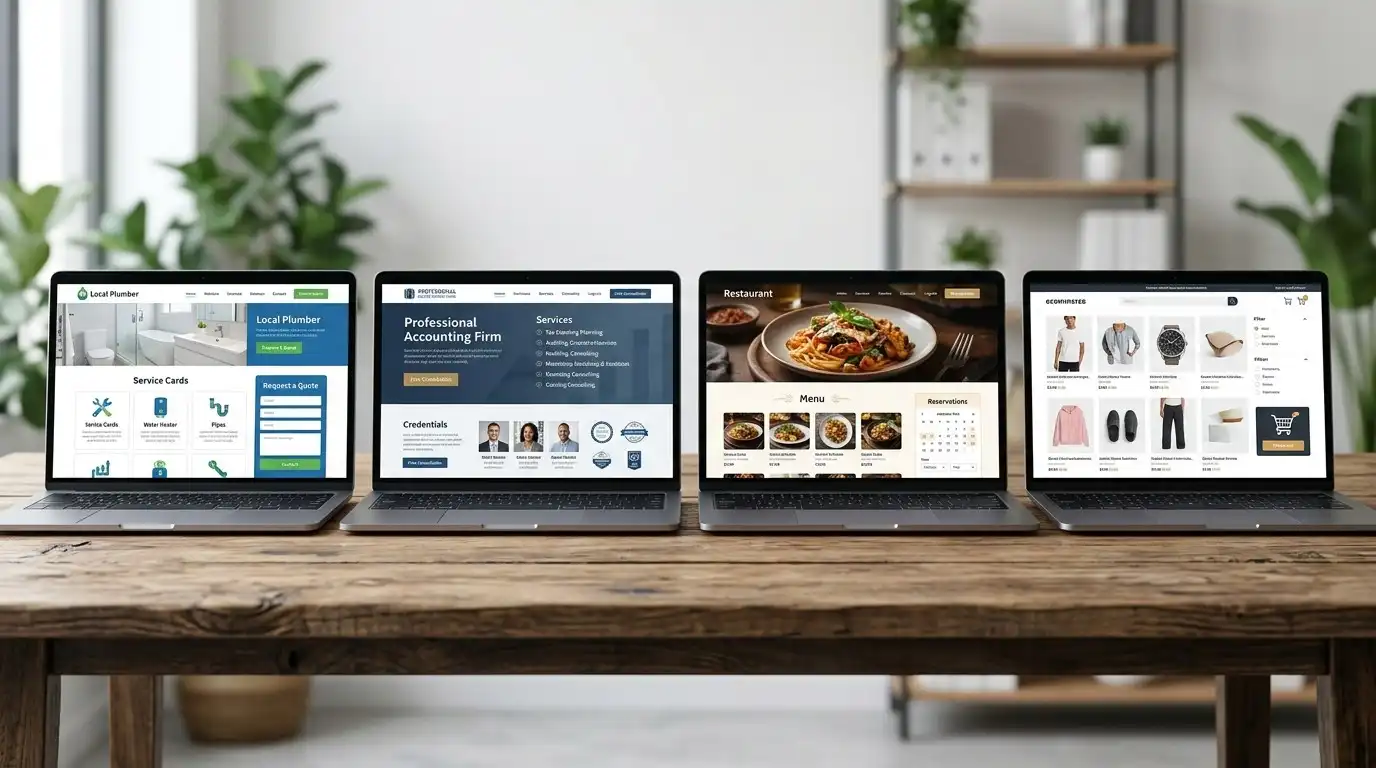
Now let’s make this practical.
Because the right website structure depends heavily on the business.
Local Service Business
Examples:
- Plumber
- Electrician
- HVAC company
- Roofer
- Landscaper
- Cleaning company
A useful structure might include:
- Homepage
- Services
- Individual service pages
- About
- Reviews
- Service area
- FAQs
- Contact
Important elements:
- Phone number
- Quote request
- Service area
- Reviews
- Real project photos
- Credentials
- Emergency information if applicable
Professional Services Business
Examples:
- Accountant
- Attorney
- Consultant
- Insurance agency
- Financial professional
A useful structure might include:
- Homepage
- Services
- Individual practice/service pages
- About
- Team
- Credentials
- FAQs
- Resources
- Contact
Trust becomes particularly important here.
Visitors may want to understand your qualifications before contacting you.
Restaurant
A restaurant website may need:
- Homepage
- Menu
- Hours
- Location
- Reservations
- Online ordering
- About
- Photos
- Contact
The menu is often one of the most important pieces of information.
Don’t make someone hunt for it.
Ecommerce Business
An online store obviously needs more.
Depending on the business, you may need:
- Homepage
- Shop
- Categories
- Product pages
- Search
- Cart
- Checkout
- Customer account
- Shipping information
- Returns
- Privacy
- Terms
- Contact
Here, the website isn’t just marketing.
It’s part of the actual transaction.
Contractor
A contractor’s website can benefit from:
- Services
- Individual service pages
- Project gallery
- Case studies
- Reviews
- Service area
- About
- Financing information where applicable
- FAQs
- Quote request
- Contact
For contractors, photographs of actual completed projects can be extremely valuable.
What Your Website Probably Doesn’t Need
Now for the fun part.
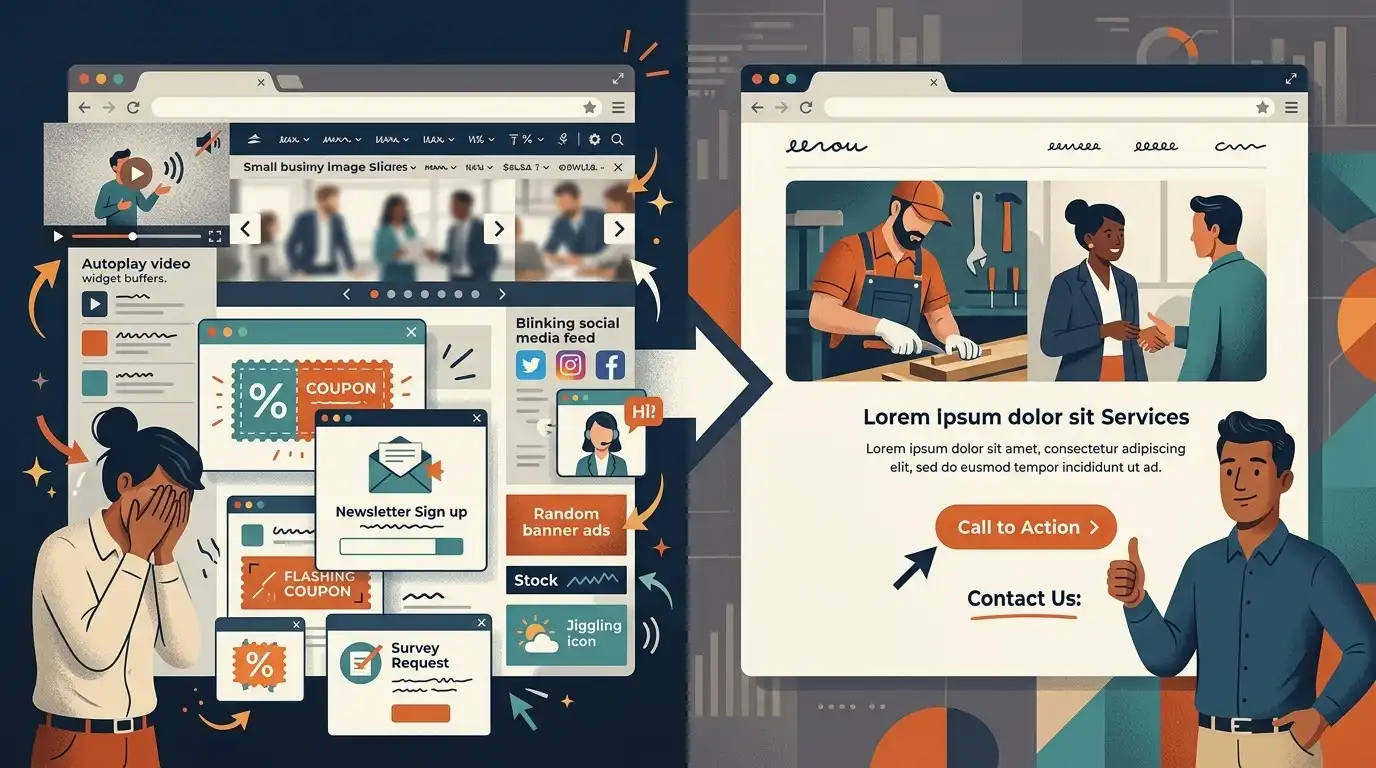
A website doesn’t automatically become better because you add more stuff.
You probably don’t need:
- Five different popups
- An autoplay video
- A huge animated background
- A complicated chatbot
- A dozen social media feeds
- 30 menu items
- A massive slider
- A page for every tiny variation of a service
- A blog nobody maintains
- A “Welcome to our website” heading
- A wall of generic marketing language
- Stock photos pretending to be your team
- Hundreds of nearly identical SEO pages
The goal is not maximum website.
The goal is maximum usefulness.
The “Customer Question” Method
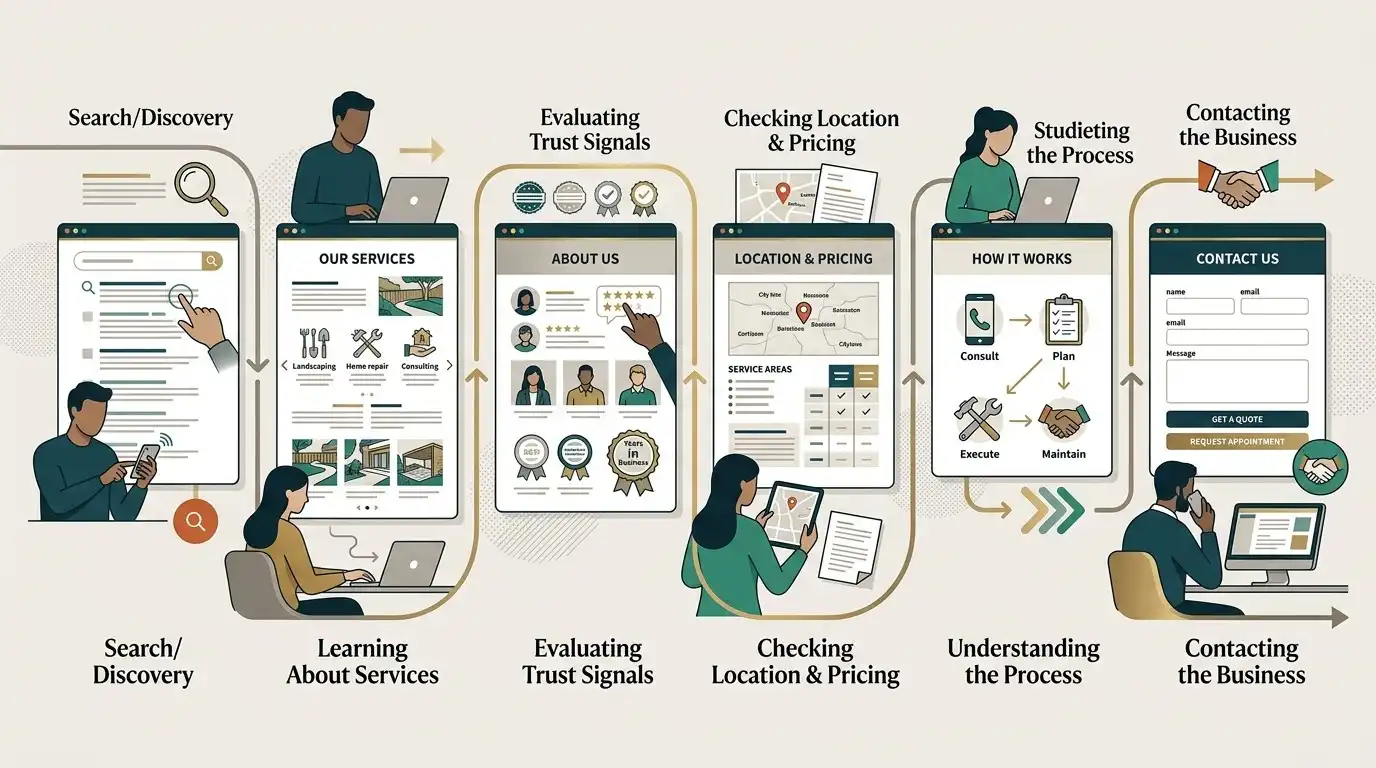
Here’s a simple method you can use to decide what belongs on your website.
Write down the 20 questions customers ask you most often.
Then categorize them.
Questions about your business
These may belong on your About page.
Questions about your services
These may belong on service pages.
Questions about pricing
These may belong on service pages or FAQs.
Questions about your process
These may belong on a How It Works section.
Questions about trust
These may be answered with reviews, credentials, projects, or case studies.
Questions about contacting you
These belong on the Contact page and throughout the website.
Questions about specific problems
These can become useful educational content or blog articles.
You’ve just created a website content plan from questions your customers are already asking.
No keyword spreadsheet required.
The “Before They Call Me” Test
Here’s another test that can dramatically improve a website.
Imagine your customer is about to call you.
What are the last three things they might want to know?
For a contractor:
“Do you work on projects this size?”
“Do you serve my area?”
“Can I get an estimate?”
For an accountant:
“Do you work with businesses like mine?”
“Do you handle this type of tax work?”
“How do I schedule a consultation?”
For a cleaning company:
“Do you clean my area?”
“Do you offer recurring service?”
“How much does it cost?”
Those questions should be easy to answer.
If the customer has to call simply to discover whether you even offer the service, the website isn’t doing enough.
The “Five-Second” Test

Open your homepage.
Look at it for approximately five seconds.
Then ask:
What does this business do?
Who is it for?
Where does it operate?
If you can’t answer those questions, the homepage needs work.
You don’t need to literally make every visitor understand everything in five seconds.
The point is to test whether the core message is obvious.
The Perfect Website Checklist
Before launching, ask:
Business
- Is the business name obvious?
- Is the business location/service area clear?
- Is the main service clear?
Customer
- Is it obvious who the business serves?
- Are common customer questions answered?
- Is the next step obvious?
Trust
- Are there real reviews or testimonials?
- Are relevant credentials shown?
- Are real photographs used where possible?
- Is there evidence of actual experience?
Services
- Are services easy to find?
- Are important services explained properly?
- Are relevant service pages linked?
Conversion
- Is the primary call to action obvious?
- Is the phone number easy to find?
- Does the contact form work?
- Is the process clear?
Technical
- Does it work on mobile?
- Does it load reasonably quickly?
- Does HTTPS work?
- Can search engines access important pages?
- Are analytics and search monitoring configured?
- Are backups and security handled?
You Don’t Need Every Element on Every Website
This is perhaps the most important takeaway.
A small business website isn’t a checklist where you must collect every possible feature.
You don’t need:
About + Blog + FAQ + Testimonials + Case Studies + Team + Careers + Resources + Newsletter + Podcast + Video + Chatbot + Calculator
just because another website has them.
Instead ask:
Does this help the customer make a decision?
If yes, consider including it.
If not, leave it out.
Your Website Should Match the Complexity of Your Business
A solo photographer may need:
- Portfolio
- Services
- About
- Contact
A plumbing company may need:
- Multiple service pages
- Service area
- Reviews
- Emergency information
- Quote request
A law firm may need:
- Multiple practice areas
- Attorney profiles
- Case information
- FAQs
- Consultation forms
- Legal disclosures
An ecommerce company may need dozens or thousands of product pages.
There is no universal website blueprint.
The business determines the structure.
Final Thought
The best small-business websites don’t try to impress visitors with how much information they contain.
They make the right information easy to find.
When someone lands on your website, they should be able to answer:
What do you do?
Can you help me?
Do you serve me?
Why should I trust you?
What will happen if I contact you?
How do I get started?
If your website answers those questions clearly, you’ve already done more than many websites that cost far more to build.
And when you’re deciding whether to add another page, another feature, another popup, or another paragraph of marketing copy, ask one simple question:
Does this make the customer’s decision easier?
If it does, keep it.
If it doesn’t, you probably don’t need it.
Frequently Asked Questions
What pages should a small business website have?
Most small businesses need some combination of a homepage, services, about, contact, and trust information such as reviews or testimonials. Additional pages depend on the business.
Does every small business need an About page?
Not necessarily, but an About page can be useful when the owner’s experience, team, history, qualifications, or story influences the customer’s decision.
Does every service need its own page?
No. Closely related simple services can sometimes be grouped together. Separate pages make more sense when services address different customer needs or require substantial explanation.
Should a small business website have a blog?
A blog can be useful, especially when the business has useful information to share or wants to attract relevant search traffic. But a blog that never gets updated is not automatically better than having no blog.
Should I put my prices on my website?
It depends on the business. Products and standardized services usually benefit from clear pricing. Services that require customized estimates may instead explain what determines the price and how customers can request an estimate.
How many testimonials should I put on my website?
There is no magic number. A handful of genuine, specific testimonials can be more useful than dozens of vague ones.
Should I put my phone number on every page?
If phone calls are an important way customers contact your business, making the phone number consistently accessible is generally a good idea.
Do I need a FAQ page for SEO?
No. FAQs should exist because customers have questions that need useful answers. SEO can be a secondary benefit, but FAQs shouldn’t be created simply to add keywords.
Should a small business have a service-area page?
If location is important to the business, clearly explaining the service area can be useful. A dedicated page may make sense when there is enough genuinely useful information to provide.
Should I use AI-generated images on my business website?
AI-generated images can be useful for illustrations, conceptual graphics, and decorative visuals. For things that are supposed to represent the actual business, such as your team, location, products, or completed work, authentic photographs are generally more useful.
Does my website need a chatbot?
No. A chatbot is only useful if it solves a real customer-service or lead-generation problem. Adding one simply because other websites have one can create more clutter than value.
Does my website need a blog?
Not necessarily. A blog can be valuable for educational content and search visibility, but it should support the business rather than exist as a checkbox.
What is the most important thing on a small business website?
Clarity. Visitors should quickly understand what the business does, who it helps, where it operates, why they should trust it, and what they should do next.