If you’re hiring someone to build a website for your small business, there’s a question you probably want answered before anything else:
“How long is this going to take?”
You might hear:
“About two weeks.”
Or:
“Four to six weeks.”
Or:
“We’ll have it ready in a few months.”
All of those answers could be reasonable.
They could also be completely wrong for your particular project.
The timeline for a small business website depends on much more than the number of pages.
A five-page website can take longer than a 15-page website.
A simple website can be delayed for weeks because the business hasn’t provided its content.
A technically complicated website can sometimes launch quickly if everything is already prepared.
So instead of asking only:
“How many weeks does a website take?”
it’s more useful to ask:
“What has to happen before the website can launch?”
Once you understand that, website timelines become much easier to predict.
The Short Answer
For a straightforward small-business website, the actual production process may take anywhere from a couple of weeks to several weeks.
More complex projects can take several months or longer.
A typical timeline depends on things such as:
- Number of pages
- Design complexity
- Content preparation
- Number of revisions
- Photography
- SEO requirements
- Ecommerce
- Booking systems
- Third-party integrations
- Custom functionality
- Client response time
- Designer or agency workload
- Testing requirements
The important thing is that the calendar isn’t controlled by the designer alone.
The business owner can have a huge effect on the timeline.
A Website Isn’t Built in One Giant Step
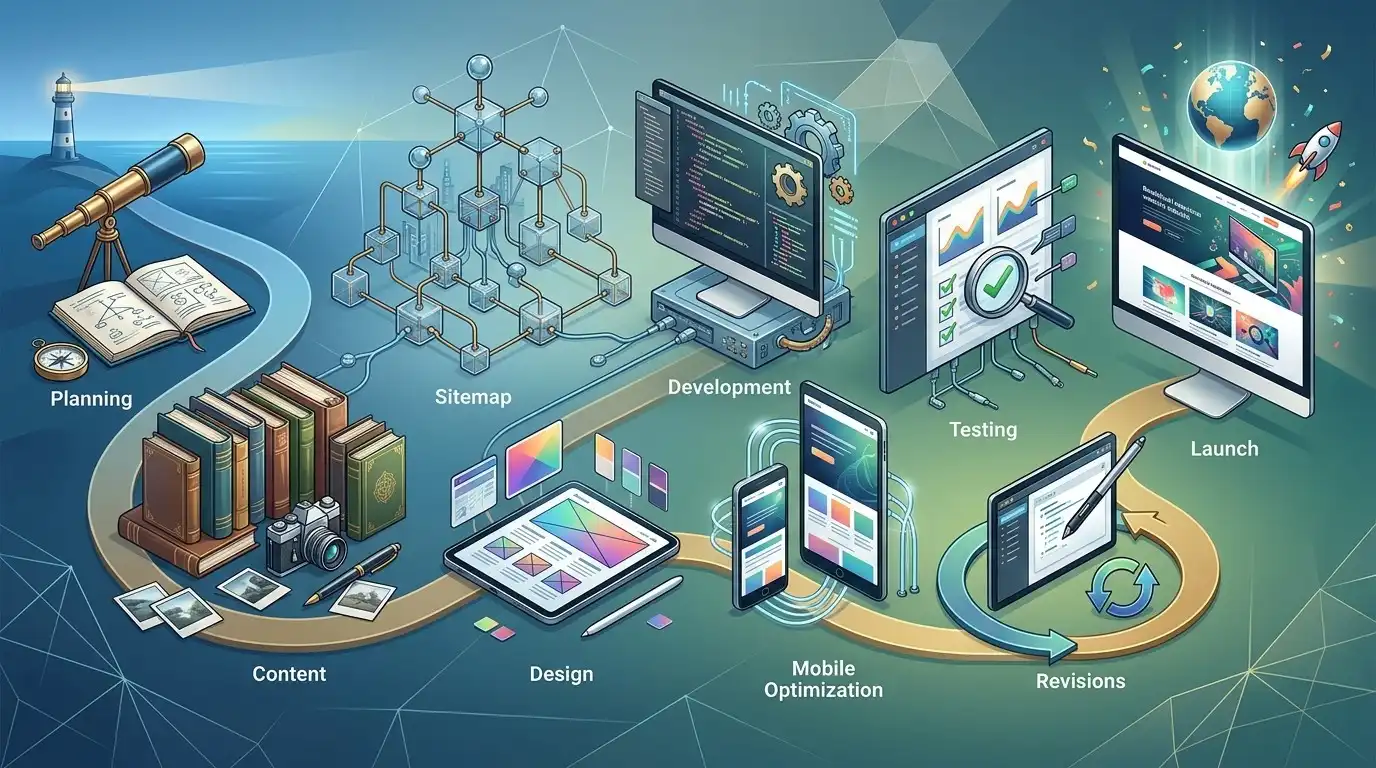
One reason website timelines are confusing is that people imagine the process like this:
Design website → build website → launch
In reality, there are usually several stages.
A typical small-business website may involve:
- Planning
- Content preparation
- Sitemap and page structure
- Design
- Development
- Mobile optimization
- Content implementation
- Testing
- Revisions
- Final approval
- Launch
- Post-launch checks
Some of these stages overlap.
Some projects skip certain stages.
Some repeat stages several times.
But thinking about the project this way makes the timeline much easier to understand.
Stage 1: Planning
Before anyone starts designing buttons and choosing fonts, someone needs to figure out what the website is supposed to accomplish.
Questions might include:
- What does the business do?
- Who are the customers?
- What services are most important?
- What pages are needed?
- What should visitors do?
- What information do customers need?
- What competitors are doing?
- What content already exists?
- What needs to be created?
For a simple website, this can be relatively quick.
For a more strategic project, planning can take considerably longer.
And that’s usually a good thing.
Five days spent figuring out what the website should be is better than five weeks spent rebuilding a website that was never properly planned.
Stage 2: Gathering Content
This is one of the biggest sources of delay.
And it’s often the one nobody talks about.
The website designer might be ready.
The developer might be ready.
The hosting might be ready.
The WordPress installation might be ready.
But the business still hasn’t provided:
- Logo
- Company information
- Service descriptions
- Team biographies
- Photos
- Contact details
- Testimonials
- Pricing information
- Policies
- Product information
So the website sits there.
Waiting.
The most sophisticated development workflow in the world cannot make missing information magically appear.
The “Where Is the Content?” Problem

Imagine a web designer tells a client:
“We can have your website ready in three weeks.”
The client approves the project.
Week one:
The designer asks for the content.
No response.
Week two:
The designer follows up.
The client says:
“I’m working on it.”
Week three:
Still waiting.
Week four:
The content arrives.
Now the original three-week timeline has become five or six weeks.
The website didn’t take six weeks to build.
The project took six weeks because the project couldn’t move forward.
That’s an important distinction.
How to Make Your Website Launch Faster
One of the easiest things you can do is prepare your materials before the project starts.
Create a folder containing:
- Logo files
- Brand colors
- Existing brochures
- Service descriptions
- Company history
- Team information
- Contact information
- Business hours
- Photos
- Testimonials
- Certifications
- Licenses
- Social media links
- Existing website content
- Any important documents
You don’t need everything to be perfect.
You just need the information available.
Stage 3: Sitemap and Page Structure
Next, the website needs a structure.
For example:
Home
About
Services
→ Service 1
→ Service 2
→ Service 3
Reviews
FAQ
Contact
This is called the sitemap or site structure.
It determines how visitors move around the website.
A simple local business may only need a handful of pages.
A larger company may need dozens.
Ecommerce websites can have hundreds or thousands of URLs.
The more complex the structure, the more planning is usually required.
Stage 4: Design
Now the visual work begins.
This may include:
- Layout
- Typography
- Colors
- Buttons
- Images
- Sections
- Cards
- Forms
- Navigation
- Mobile layouts
- Calls to action
Some projects begin with a detailed design phase.
Others use an established WordPress theme or design system and move more directly into implementation.
Neither approach is automatically better.
The important thing is knowing which process you’re paying for.
Template-Based Doesn’t Mean Bad
This deserves mentioning because “custom” is often treated as a magic word.
A website doesn’t have to be designed from a completely blank canvas to be professional.
A well-designed WordPress theme or template can provide:
- Strong layout foundations
- Responsive components
- Good typography
- Navigation
- Forms
- Common business sections
The designer can then customize it to fit the business.
For many small businesses, this is an efficient approach.
The goal isn’t to make the website as expensive to produce as possible.
The goal is to produce a website that works.
Stage 5: Development
Once the design direction is established, the website needs to be built.
For a WordPress website, this can involve:
- WordPress configuration
- Theme setup
- Page creation
- Elementor or another page builder
- Plugin configuration
- Forms
- Menus
- Header and footer
- Responsive layouts
- Integrations
- SEO configuration
- Security settings
- Performance optimization
A straightforward website can move quickly here.
Custom functionality can dramatically extend the timeline.
Stage 6: Mobile Optimization
A website isn’t finished just because it looks good on a desktop computer.
It needs to work on smaller screens too.
That means checking:
- Navigation
- Buttons
- Text
- Images
- Forms
- Spacing
- Columns
- Tables
- Popups
- Contact information
Sometimes a desktop layout needs significant adjustments for mobile.
This is why “we finished the homepage” doesn’t necessarily mean “the homepage is finished.”
Stage 7: Content Implementation
Now the actual text and images need to be placed into the website.
This sounds simple.
Usually it is.
But content can create another round of work.
Perhaps the supplied text is too long.
Maybe an image doesn’t fit.
Maybe a heading wraps awkwardly.
Maybe the business changes a service description.
Maybe a section needs to be added because the content reveals that an important customer question hasn’t been answered.
Good websites aren’t simply containers into which text is poured.
The content and design need to work together.
Stage 8: Revisions
This is another major variable.
A website can be technically finished but still not approved.
Why?
Revisions.
One client may say:
“Looks great. I have five small changes.”
Another may say:
“Let’s completely change the homepage.”
Then:
“Actually, let’s move the services.”
Then:
“Can we change the colors?”
Then:
“Let’s use a different layout.”
Then:
“Let’s go back to the original design.”
This is why revision policies matter.
Why Revisions Can Add Weeks
Suppose the website takes two weeks to build.
Then the client takes four days to review it.
They request changes.
The designer spends three days making them.
The client takes another week to review them.
More changes arrive.
Now the project has taken substantially longer.
The actual design and development might not have been the problem.
The approval cycle was.
A Fast Website Project Needs Fast Decisions
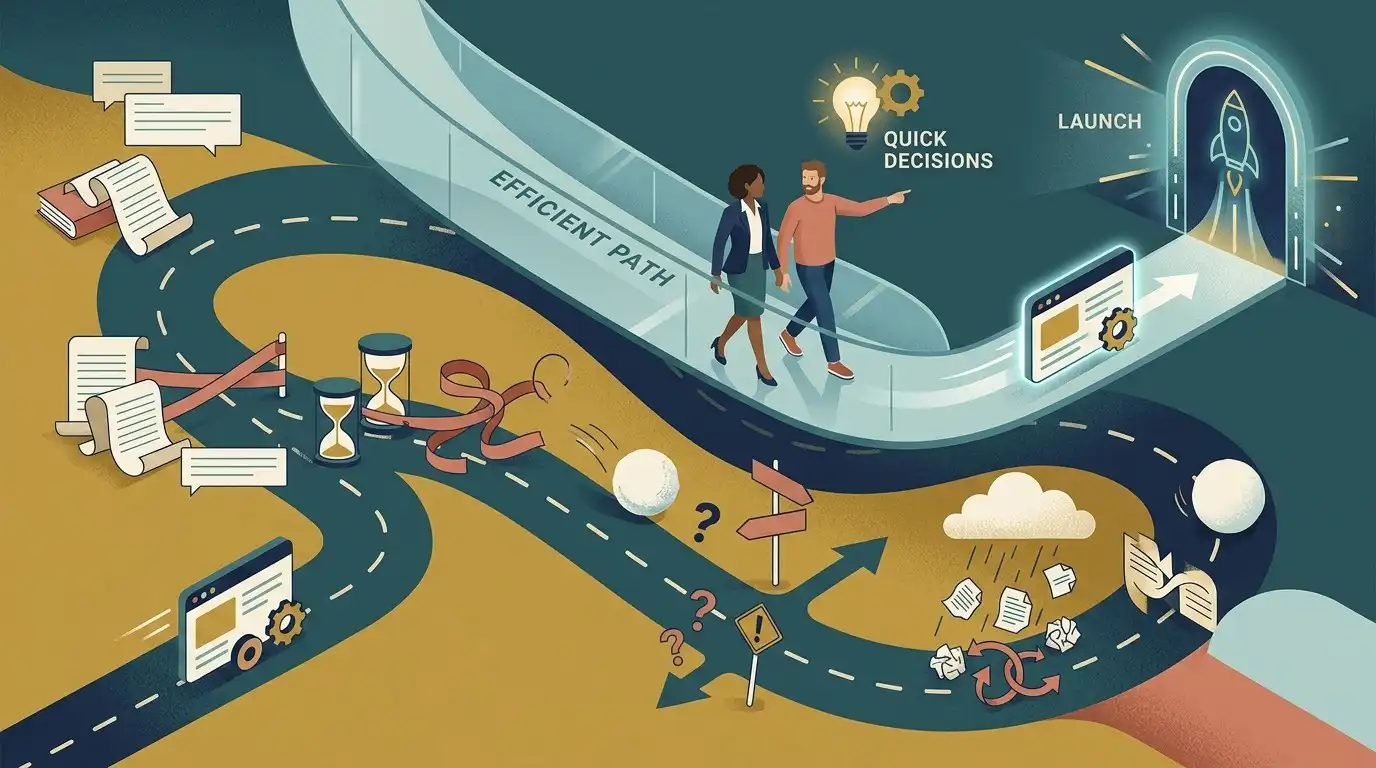
This is one of the least obvious truths about website projects:
A fast website requires fast decisions.
If the designer asks:
“Which homepage version do you prefer?”
and the answer arrives tomorrow, great.
If the answer arrives nine days later, the project has effectively stopped for nine days.
The same applies to:
- Photos
- Content
- Colors
- Logo
- Service descriptions
- Pricing
- Page structure
- Revisions
- Approvals
Every unanswered decision can become a tiny traffic cone in the road.
One isn’t a big deal.
Thirty of them create a traffic jam.
Stage 9: Testing
Before launch, the website should be tested.
This can include:
- Contact forms
- Links
- Navigation
- Mobile layouts
- Desktop layouts
- Buttons
- Forms
- Images
- Page loading
- Browser compatibility
- Ecommerce checkout
- Booking systems
- Email notifications
- Analytics
- Search engine settings
The more complicated the website, the more there is to test.
A five-page brochure website doesn’t require the same testing as an online store processing payments.
Stage 10: Launch
Launch day sounds dramatic.
Usually, it’s more controlled than cinematic.
Depending on the project, launch may involve:
- Connecting the domain
- Moving the website from staging
- Checking DNS
- Enabling SSL
- Testing forms
- Checking redirects
- Verifying analytics
- Checking search engine access
- Testing mobile again
- Checking important pages
And then:
The website is live.
But there is still one more step.
Stage 11: Post-Launch Checks
A newly launched website should be checked after it goes live.
Why?
Because the live environment can behave differently from the staging environment.
You may discover:
- A form isn’t sending
- A redirect is wrong
- An image didn’t load
- A page wasn’t published correctly
- A tracking code isn’t working
- A plugin behaves differently
- A DNS issue appears
These aren’t necessarily disasters.
They’re exactly why post-launch checks exist.
So How Long Does Each Type of Website Take?
There isn’t one universal timeline, but a useful rough framework is:
Very simple website
A few pages, standard design, basic functionality.
Potential timeline: around 1–2 weeks
Typical small-business website
Several pages, professional design, content implementation, forms, mobile optimization, basic SEO.
Potential timeline: around 2–6 weeks
More involved business website
More pages, custom design, extensive content, integrations, advanced functionality, ecommerce, or significant strategy.
Potential timeline: around 1–3 months or more
These are broad ranges, not promises.
A project can be faster or slower depending on the circumstances.
Why “Five Pages” Doesn’t Tell You Much
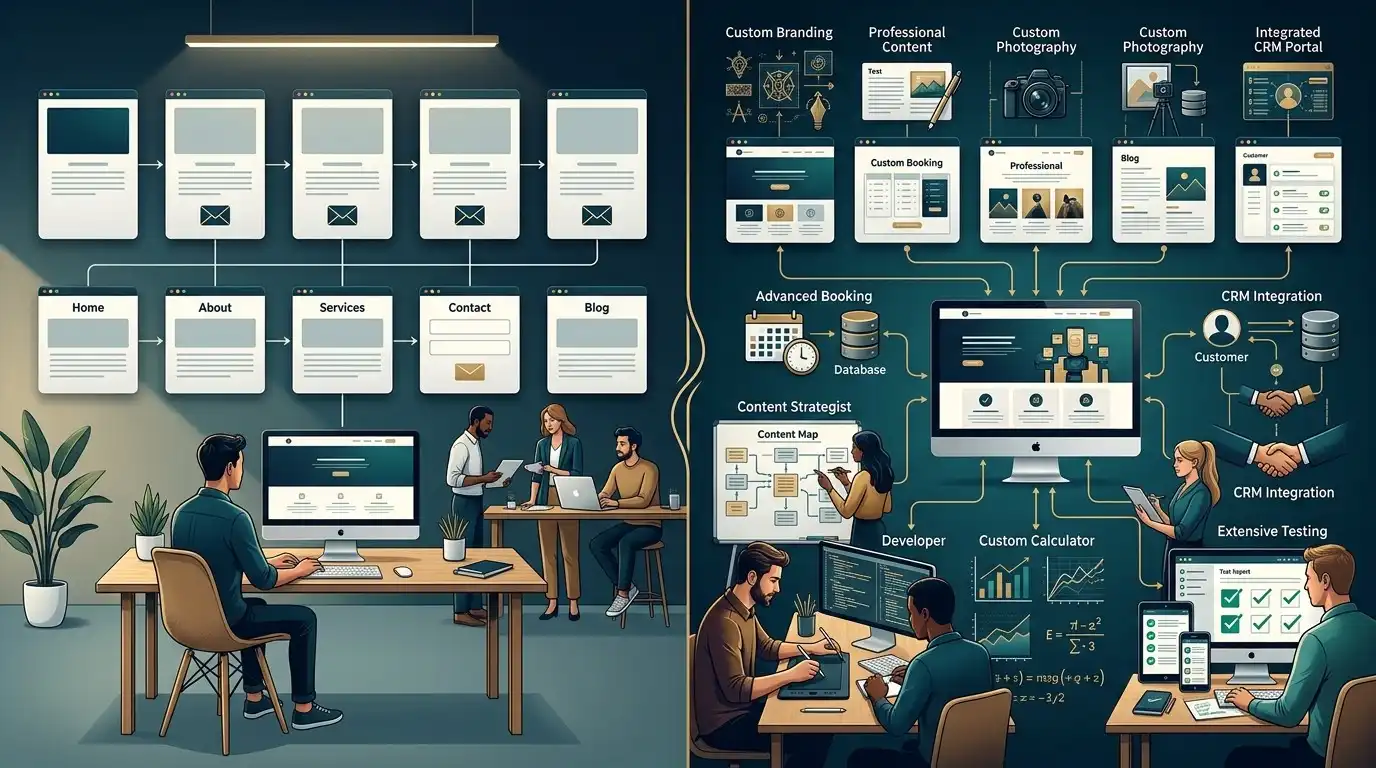
Here’s an interesting example.
Website A
Five pages.
- Home
- About
- Services
- Contact
- FAQ
Uses an established WordPress design.
The client provides all content.
Standard contact form.
No integrations.
This could be a relatively quick project.
Website B
Also five pages.
But it includes:
- Custom brand design
- Professional copywriting
- Photography
- Custom animations
- Appointment booking
- CRM integration
- Complex forms
- Custom calculator
- Advanced SEO
- Multiple approval rounds
Same number of pages.
Completely different project.
So don’t use page count as your only measure of complexity.
What Usually Makes a Website Take Longer?
Here are some of the biggest timeline killers.
Missing content
The designer can’t finish pages that don’t have the information they need.
Slow approvals
The project waits for decisions.
Too many revisions
The design keeps changing.
Scope changes
New pages and features appear halfway through the project.
Custom functionality
Complex systems take more time.
Third-party integrations
Other software can introduce unexpected problems.
Photography
Scheduling professional photography can take time.
Copywriting
Good content takes time to research and write.
Ecommerce
Products, shipping, payments, taxes, and checkout all add complexity.
Legal review
Some businesses need content reviewed before publication.
Scope Creep: The Silent Timeline Killer
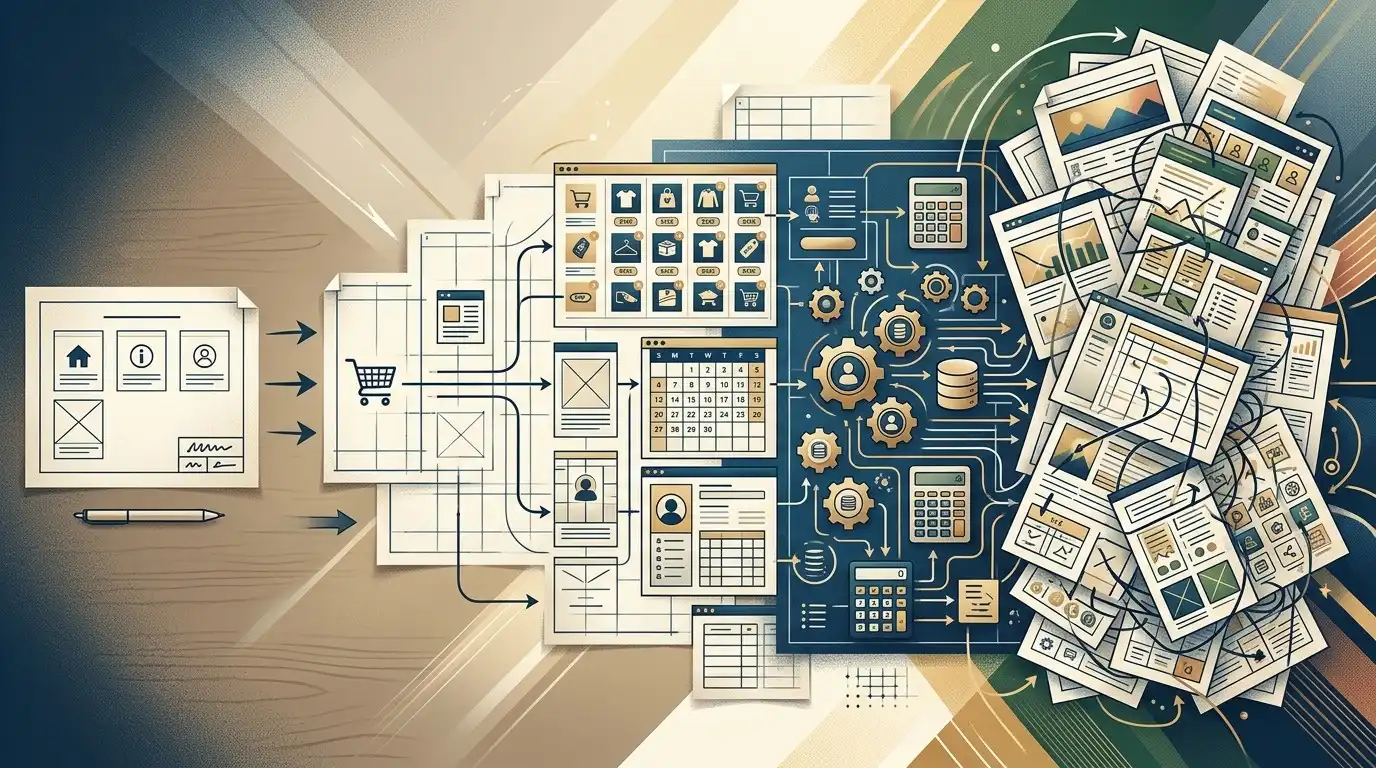
Here’s a common scenario.
The original project is:
“Build a 7-page business website.”
Then someone says:
“Could we add a blog?”
Sure.
Then:
“Could we add an appointment system?”
Okay.
Then:
“Could we add a customer login?”
That’s a much bigger change.
Then:
“Can we connect it to our CRM?”
Now we’re talking about integrations.
The original project has slowly transformed into something completely different.
This is called scope creep.
It can happen without anyone intentionally doing anything wrong.
That’s why the scope should be defined before development begins.
What If I Need the Website Quickly?
Sometimes you have a real deadline.
Maybe:
- Your business is launching
- You’re opening a new location
- Your current website is failing
- You’re attending a trade show
- An advertising campaign is starting
- A new service is launching
- You’re rebranding
If you need the website quickly, tell the designer before the project begins.
Don’t say:
“We need it as soon as possible.”
Give an actual target.
For example:
“We need the website live by October 15 because our advertising campaign starts October 20.”
That gives everyone something concrete to plan around.
How to Build a Website Faster
If speed matters, simplify the project.
Start with the most important pages
You may not need 25 pages on day one.
Launch the pages customers actually need.
Use an established design system
You don’t necessarily need every element designed from scratch.
Prepare content early
Don’t wait until development begins.
Gather images early
Have them ready before the pages are built.
Make decisions quickly
Don’t let approvals sit for a week.
Limit unnecessary revisions
Decide what actually needs changing.
Avoid unnecessary custom functionality
If an existing reliable tool solves the problem, use it.
Freeze the scope
Don’t keep adding features during development.
The “Launch Now, Improve Later” Strategy
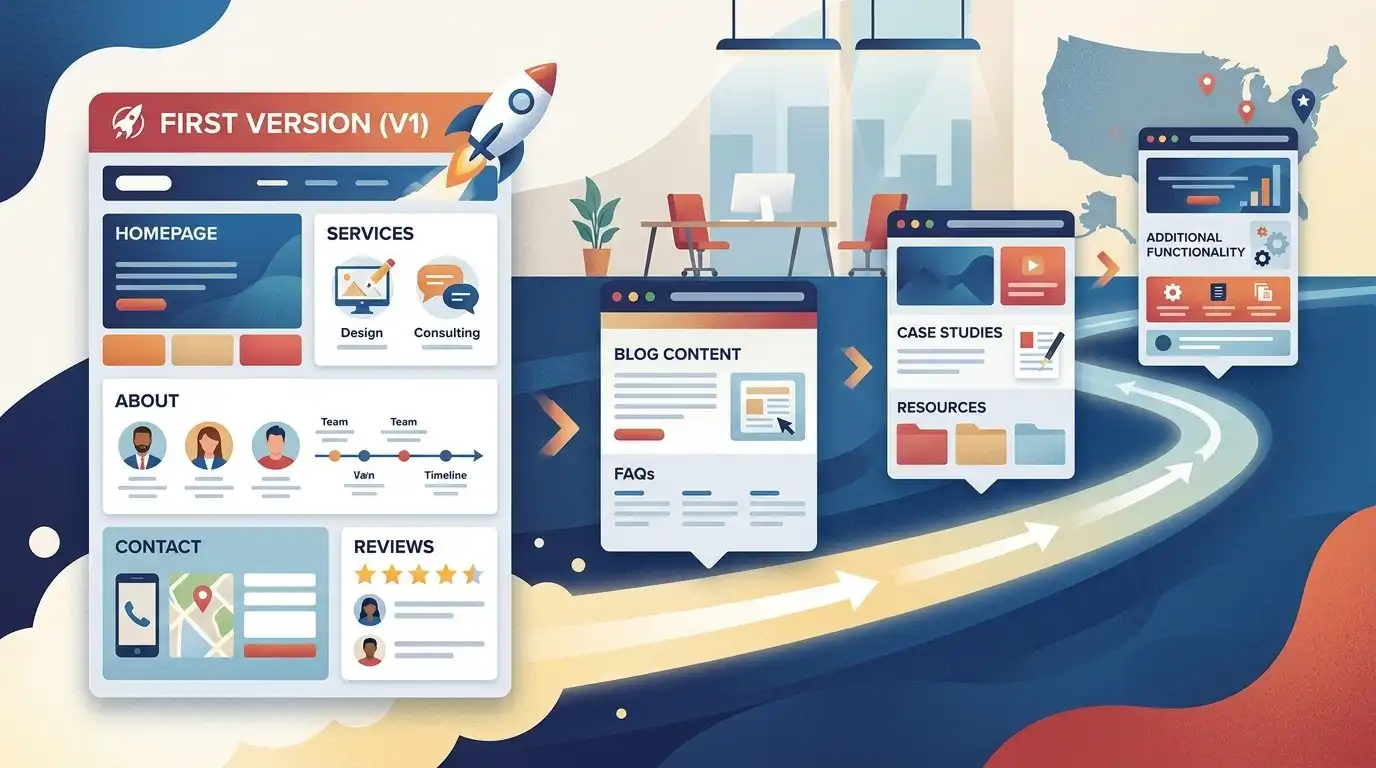
One of the biggest mistakes businesses make is waiting for the website to become perfect.
It doesn’t have to be perfect.
It needs to be good enough to launch and useful enough to help customers.
You can launch with:
- Homepage
- Core services
- About
- Contact
- Reviews
- Important FAQs
Then add:
- More service pages
- Case studies
- Blog articles
- Resources
- Additional features
over time.
A live, useful website can start doing its job.
A perfect website sitting on someone’s laptop can’t.
But Don’t Rush the Wrong Things
There are parts you shouldn’t rush just to hit a launch date.
Don’t rush:
- Core messaging
- Important service information
- Contact information
- Mobile usability
- Forms
- Checkout
- Legal requirements
- Security
- Domain configuration
- Analytics
- Important SEO settings
If the website launches quickly but nobody can submit the contact form, you haven’t really won the race.
A Realistic Small-Business Website Timeline
Here’s an example of what a straightforward project might look like.
Week 1: Planning and Content
- Project kickoff
- Sitemap
- Content collection
- Image collection
- Design direction
- Initial homepage structure
Week 2: Design and Development
- Homepage
- Header and footer
- Core design system
- Service pages
- About page
- Contact page
Week 3: Content and Mobile
- Content implementation
- Image optimization
- Mobile layouts
- Forms
- SEO basics
- Additional pages
Week 4: Review and Launch
- Client review
- Revisions
- Testing
- Final approval
- Launch
- Post-launch checks
This isn’t a universal schedule.
But it demonstrates something important:
The timeline is a chain.
If one link stops moving, the entire project can slow down.
What the Business Owner Controls
You may have more control over the timeline than you realize.
You can control:
- How quickly you provide content
- How quickly you provide images
- How quickly you answer questions
- How quickly you approve designs
- Whether you change the scope
- Whether you keep adding features
- Whether you have your domain information ready
- Whether you have access to necessary accounts
If you want a fast project, treat your own responses as part of the project schedule.
What the Designer Controls
The designer or development team controls:
- Project organization
- Design process
- Development process
- Technical implementation
- Testing
- Communication
- Their own workload
- Quality control
- Launch preparation
A good project needs both sides moving.
What Should a Website Timeline Include?
When you’re hiring someone, don’t just ask:
“How long will it take?”
Ask:
“What are the milestones?”
For example:
Kickoff
↓
Sitemap approved
↓
Homepage approved
↓
Interior pages completed
↓
Content added
↓
Client review
↓
Final revisions
↓
Testing
↓
Launch
This makes the timeline much easier to understand.
Be Suspicious of Both Extremes
There are two promises that deserve questions.
“We’ll build your entire website tomorrow.”
Maybe.
But ask what’s actually included.
“It will take six months.”
Maybe.
But ask why.
A simple small-business website shouldn’t necessarily take months of mysterious activity.
At the same time, complex websites shouldn’t be rushed simply to produce an impressive deadline.
The timeline should make sense relative to the work.
What If the Designer Gives You a Very Fast Timeline?
Ask:
- What is included?
- Is content included?
- Are revisions included?
- Is mobile optimization included?
- Is testing included?
- Is SEO setup included?
- Is launch included?
- What do you need from me?
- What happens if I need changes?
A fast timeline is only valuable if the scope is clear.
What If the Designer Gives You a Very Long Timeline?
Ask:
- What are the project stages?
- What is causing the timeline?
- Is the team working on the project continuously?
- Are there approval periods?
- Is content creation included?
- Is custom development involved?
- Are there third-party integrations?
- When will I see progress?
You deserve to understand where the time is going.
The Most Important Timeline Question
Here’s the question I’d ask before signing:
“What could cause this project to take longer than the estimated timeline?”
A good answer might include:
- Delayed content
- Delayed approvals
- Scope changes
- Additional functionality
- Third-party delays
- Unexpected technical problems
That’s useful because now you know what can affect the schedule.
Website Timeline Checklist
Before starting your project, make sure you know:
Before the project
- What is the target launch date?
- What pages are included?
- Who provides content?
- Who provides images?
- What functionality is required?
- What accounts are needed?
- Who makes final decisions?
During the project
- What are the milestones?
- When will I review the design?
- How are revisions handled?
- How quickly do I need to respond?
- What happens if the scope changes?
Before launch
- Has the website been tested?
- Do all forms work?
- Does it work on mobile?
- Are important links working?
- Is analytics configured?
- Is the domain ready?
- Is SSL working?
- Are important SEO settings configured?
After launch
- Has the live website been checked?
- Are forms still working?
- Is analytics receiving data?
- Are redirects working if needed?
- Is there a maintenance plan?
Final Thought

A small-business website doesn’t take a certain number of weeks simply because it has a certain number of pages.
The real timeline is determined by the amount of work involved and how quickly everyone involved can move through that work.
A simple website with prepared content and fast approvals might move surprisingly quickly.
A seemingly simple website can drag on for months if the scope keeps changing and decisions keep getting delayed.
So when someone tells you:
“Your website will take four weeks.”
don’t just ask whether four weeks sounds good.
Ask:
“What happens during those four weeks?”
That’s the question that tells you whether the timeline is realistic.
And if you are the business owner, remember this:
You are part of the timeline too.
Have your content ready.
Gather your photos.
Know your services.
Respond to questions.
Review work promptly.
Avoid changing the entire project halfway through.
A website project works best when both sides treat it like a project rather than an endless conversation.
The goal isn’t to build the website as fast as humanly possible.
The goal is to launch a website that is useful, professional, functional, and ready to help the business.
Fast is good.
Fast and good is better.
Frequently Asked Questions
How long does it take to build a small business website?
A straightforward small-business website can potentially be completed in a couple of weeks, while a more involved website may take several weeks or months. The timeline depends on the project’s scope, content, functionality, revisions, and approval process.
Can a small business website be built in one week?
It can be possible for a very simple project with a limited scope, prepared content, fast decisions, and an efficient production process. More complex projects generally need more time.
Why do websites take so long to build?
Common reasons include content delays, revisions, custom functionality, integrations, photography, SEO work, slow approvals, and changes to the original project scope.
Does the number of pages determine how long a website takes?
Not by itself. Five highly customized pages can take longer than fifteen pages built using an established design system.
What is the biggest cause of website delays?
There isn’t one universal cause, but missing content, slow client approvals, scope changes, and extensive revisions are common sources of delays.
Can I speed up my website project?
Yes. Prepare your content and images early, make decisions quickly, keep the scope under control, provide clear feedback, and avoid adding unnecessary functionality during development.
Should I launch my website before everything is perfect?
Often, yes. If the core pages and functionality are ready, launching a useful website and improving it over time can be more productive than waiting indefinitely for perfection.
How long does a WordPress website take to build?
It varies widely. A straightforward WordPress website may be completed in a couple of weeks, while a larger WordPress project with custom functionality, ecommerce, integrations, and extensive content can take considerably longer.
Does hiring a professional make a website faster?
Not necessarily. A professional can provide an efficient process, but the timeline still depends on project scope, communication, content, revisions, and functionality.
How far in advance should I start a website project?
If you have a fixed business deadline, starting several weeks or more in advance gives you room for revisions and unexpected issues. Larger projects should be planned further ahead.
What should I ask a web designer about the timeline?
Ask for the estimated total timeline, project milestones, what is required from you, revision periods, launch process, and the circumstances that could cause delays.
What if my website needs to launch by a specific date?
Tell the designer before the project starts. A fixed deadline can influence the scope, workflow, priorities, and amount of functionality included in the first version.