Your business website looks old.
You’ve noticed it.
Maybe the design feels like it belongs to another decade.
Maybe your competitors have much cleaner websites.
Maybe your website doesn’t look good on a phone.
Or maybe you simply don’t like looking at it anymore.
So you start thinking:
“I think I need a new website.”
Maybe you do.
But here’s the problem:
A website that looks old doesn’t automatically need a complete redesign.
Sometimes the design really is the problem.
Sometimes the website has technical problems.
Sometimes the content is the problem.
Sometimes the business has changed and the website hasn’t.
And sometimes the website is perfectly fine but isn’t getting traffic, leads, or sales for an entirely different reason.
That distinction matters.
A redesign can cost thousands of dollars and take weeks to complete.
You don’t want to rebuild a website just because the homepage looks a little dated if the real problem is that nobody can find it in search.
On the other hand, keeping a fundamentally broken website because “it still works” can cost you customers every day.
So how do you know which situation you’re dealing with?
This guide will help you figure it out.
The Short Answer
Your business website may need a redesign if it has serious problems with:
- Mobile usability
- Navigation
- Content
- Branding
- Trust
- Speed
- Security
- Accessibility
- Conversion
- Outdated information
- Technical maintenance
- Business goals
- Search visibility
- User experience
But you don’t necessarily need to rebuild everything.
Sometimes the better solution is:
- Updating the content
- Improving the homepage
- Reworking navigation
- Replacing outdated images
- Improving mobile layouts
- Fixing forms
- Improving calls to action
- Updating the branding
- Improving page speed
- Adding missing service pages
The first question should be:
“What is actually wrong with the current website?”
Only then should you decide whether you need a redesign.
First: What Does “Redesign” Actually Mean?
People use the word “redesign” to describe very different things.
A redesign could mean:
A visual refresh
Same website structure, but updated:
- Colors
- Fonts
- Images
- Buttons
- Spacing
- Layouts
A structural redesign
Changing:
- Navigation
- Page hierarchy
- Service pages
- Content structure
- Calls to action
A technical rebuild
Changing:
- Theme
- Plugins
- Platform
- Hosting
- Code
- Website architecture
A complete rebuild
Starting over with a new design, structure, content strategy, technology, and functionality.
These are very different projects.
You shouldn’t automatically jump to the most expensive option.
Sign #1: Your Website Looks Bad on a Phone

This is one of the clearest reasons to take action.
Open your website on your phone.
Don’t just look at the homepage.
Check several pages.
Ask:
- Is the text easy to read?
- Is the navigation easy to use?
- Are buttons easy to tap?
- Do images fit the screen?
- Are forms usable?
- Are columns broken?
- Does anything overflow horizontally?
- Do popups cover the screen?
- Can someone easily find your phone number?
If the website feels like you’re trying to read a newspaper through a keyhole, you’ve got a problem.
A website doesn’t have to look identical on desktop and mobile.
It needs to work well on both.
Sign #2: Your Website Is Full of Outdated Information

This is more serious than an old color scheme.
Imagine your website says:
“Serving the community since 2008.”
But your company actually started in 2015.
Or your website lists:
“Monday–Friday: 8 AM–5 PM”
but your business now operates seven days a week.
Or your website advertises a service you stopped offering two years ago.
Or the phone number is wrong.
These aren’t design problems.
They’re trust problems.
A customer who finds outdated information may wonder:
“Is this company even still operating?”
Sign #3: Your Business Has Changed

This is one of the most overlooked reasons to redesign a website.
Your business may have changed dramatically since the website was created.
Maybe you started as a residential contractor.
Now you also serve commercial clients.
Maybe you used to offer three services.
Now you offer ten.
Maybe you’ve expanded into another state.
Maybe you changed your target customers.
Maybe you’ve rebranded.
Maybe your company has grown from two employees to 30.
But your website still describes the business you had five years ago.
In that situation, the problem isn’t simply that the website looks old.
The website no longer represents the business.
That’s a much stronger reason for a redesign.
Sign #4: Visitors Can’t Figure Out What You Do
This is a huge problem.
Someone should be able to land on your homepage and quickly understand:
- What your business does
- Who you help
- Where you operate
- What makes you different
- What they should do next
If visitors have to read three paragraphs before figuring out what you actually sell, the website has a messaging problem.
A redesign can help.
But don’t assume the solution is purely visual.
You may need better copy.
The Five-Second Test

Here’s a simple test.
Show your homepage to someone who doesn’t know your business.
Give them a few seconds.
Then ask:
“What does this company do?”
Don’t explain anything.
Just listen.
If they can’t answer, your homepage may have a clarity problem.
Try the same test with:
“Who is this business for?”
and:
“What would you do here if you needed their service?”
You may learn more from those answers than from staring at your website for another hour.
Sign #5: Your Website Looks Like It Belongs to a Different Business
Sometimes a website technically works but sends the wrong message.
Imagine a $2 million remodeling company with a website that looks like it was assembled in an afternoon.
Or a high-end law firm with blurry stock photos and generic language.
Or a professional accounting firm whose website looks exactly like a random template.
Your website creates an expectation about the business behind it.
It doesn’t need to be extravagant.
It needs to feel appropriate for the business.
Sign #6: Your Website Looks Like Everyone Else’s
This is a subtler problem.
A lot of small-business websites use the same formula:
- Huge stock photo
- Generic headline
- Three feature boxes
- Smiling person
- Testimonials
- Contact form
- Footer
There’s nothing inherently wrong with these elements.
The problem occurs when your website gives visitors no reason to remember you.
If your competitor’s website could replace yours simply by changing the logo and phone number, you may need to rethink the messaging and positioning.
A redesign should not just make the same generic website prettier.
It should make the business clearer.
Sign #7: Your Website Is Difficult to Navigate
Try navigating your website as if you’ve never seen it before.
Can you easily find:
- Services?
- Pricing information?
- Service areas?
- About information?
- Reviews?
- Contact information?
Look at your navigation.
Does it contain:
Home | About | Services | Products | Resources | Company | Solutions | More | Blog | News | Contact
That’s a lot.
Visitors shouldn’t need a map and a compass.
A redesign can simplify the structure.
Sign #8: Your Important Services Are Buried
This is particularly common with service businesses.
Imagine you offer:
- Emergency plumbing
- Drain cleaning
- Water heater repair
- Sewer repair
- Leak detection
But your website has one generic page called:
Services
Inside it is a wall of text mentioning everything.
A potential customer searching specifically for water heater repair may have difficulty finding what they need.
The solution might involve creating dedicated service pages rather than simply redesigning the homepage.
That’s why you should diagnose the problem before rebuilding the website.
Sign #9: Your Website Doesn’t Generate Any Leads
This one needs careful attention.
Suppose your website gets:
10,000 visitors per month
and almost nobody contacts you.
That’s very different from:
20 visitors per month
and nobody contacts you.
The first may indicate a conversion problem.
The second may indicate a traffic problem.
A redesign might help the first.
It won’t automatically solve the second.
This distinction is extremely important.
A New Design Can’t Create Traffic by Itself
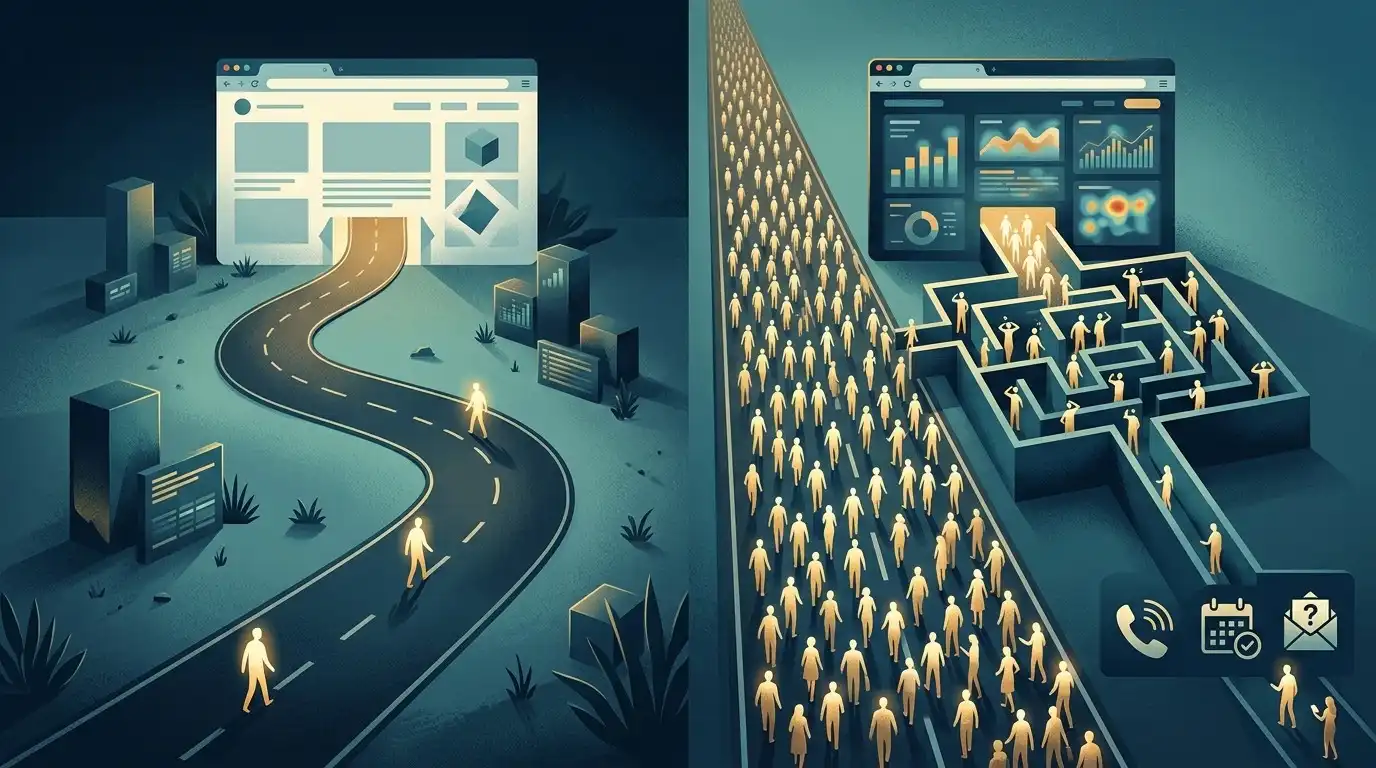
Imagine you spend $5,000 rebuilding your website.
The new website is beautiful.
Then you launch it.
Your traffic goes from:
100 visitors → 100 visitors
You didn’t fix the actual problem.
The website may now look much better.
But if nobody can find it, the redesign hasn’t solved the business problem.
You may need:
- SEO
- Local SEO
- Content
- Advertising
- Referrals
- Social media
- Other marketing
A website and a traffic strategy are related, but they’re not the same thing.
Sign #10: Your Website Gets Traffic But Doesn’t Convert
Now consider the opposite.
Your website gets visitors.
But nobody calls.
Nobody submits the form.
Nobody books.
Nobody buys.
That can indicate a conversion problem.
Look at:
- Headlines
- Calls to action
- Forms
- Phone number visibility
- Trust signals
- Service information
- Pricing information
- Reviews
- Navigation
- Page speed
- Mobile usability
A redesign may help significantly here.
Look at the Customer Journey
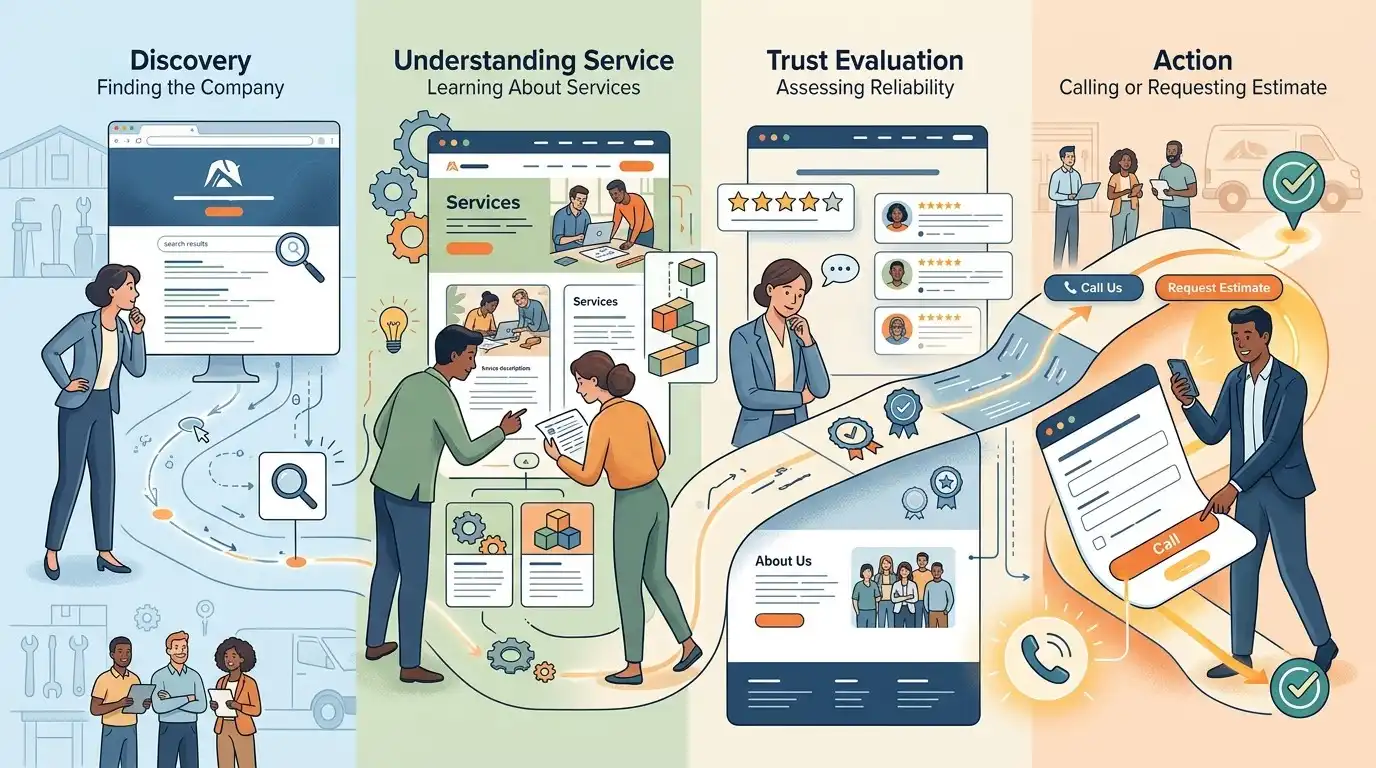
Pretend you’re a potential customer.
You find the website.
Then what?
Do you know what to do?
A simple customer journey might look like:
Search
↓
Website
↓
Understand the service
↓
Trust the company
↓
Take action
If the website breaks somewhere in that sequence, you have a problem.
For example:
Search → Website → Confusing homepage → Leave
or:
Search → Service page → No obvious contact option → Leave
or:
Search → Contact form → Form doesn’t work → Lost customer
A redesign should improve the journey, not simply the appearance.
Sign #11: Your Contact Forms Don’t Work Properly
This sounds obvious.
But test them.
Actually submit a form.
Then ask:
- Did you receive the email?
- Did the customer receive confirmation?
- Is the form easy to use?
- Does it work on mobile?
- Are submissions stored somewhere?
- Is spam overwhelming the inbox?
A beautiful website with a broken contact form is a very expensive brochure.
Sign #12: Your Website Is Extremely Slow
Page speed matters for both users and the overall health of a website.
But don’t automatically rebuild the entire site because one page is slow.
First investigate the cause.
Possible problems include:
- Huge images
- Too many plugins
- Poor hosting
- Heavy scripts
- Badly optimized videos
- Third-party widgets
- Bloated themes
- Poor caching
- Unnecessary animations
Sometimes performance can be improved without a complete redesign.
Sign #13: Your Website Has Become Difficult to Maintain
This often happens to older WordPress websites.
Over the years, someone installs:
- Plugin A
- Plugin B
- Plugin C
- A new page builder
- Another slider
- Another popup system
- Another form plugin
- An old theme
- A custom plugin
Eventually, nobody really knows what depends on what.
Updating something breaks something else.
The website becomes fragile.
At that point, a rebuild may make more sense than endlessly patching the old system.
Sign #14: Your Website Is No Longer Secure
If your website runs outdated software, plugins, themes, or other components, security can become a concern.
This doesn’t necessarily mean:
“You need a completely new website.”
You may simply need:
- Updates
- Security hardening
- Better hosting
- Backups
- Removal of abandoned plugins
- Replacement of unsupported components
But if the underlying system is severely outdated or poorly maintained, rebuilding may be the more sensible option.
Sign #15: Your Branding Has Changed
Maybe your company recently changed:
- Logo
- Colors
- Name
- Positioning
- Photography
- Messaging
- Brand personality
But the website still uses the old identity.
That creates inconsistency.
Someone might see your new logo on Google or social media and then arrive at a website that looks completely different.
A redesign can bring everything together.
Sign #16: Your Competitors Look Much More Professional
This is worth noticing.
But don’t panic.
Competitor websites can reveal:
- New design trends
- Better navigation
- Stronger messaging
- Better service organization
- Better calls to action
- Better use of reviews
- Better content
But don’t automatically copy them.
Instead ask:
“What are they doing better than us?”
That’s much more useful.
Don’t Redesign Just Because Your Competitor Did
This deserves its own warning.
Your competitor launches a beautiful new website.
You immediately think:
“We need one too.”
Maybe.
But first check your own data.
If your current website:
- Gets good traffic
- Generates leads
- Converts well
- Works on mobile
- Is technically healthy
- Represents your business accurately
then you may not need a complete redesign simply because someone else changed their colors.
Competition can reveal opportunities.
It shouldn’t automatically control your strategy.
Sign #17: Your Website Doesn’t Have a Clear Call to Action
Every important page should give visitors a logical next step.
Depending on the business, that might be:
- Call
- Request a quote
- Schedule an appointment
- Book a consultation
- Buy
- Get directions
- Contact the team
If visitors reach the bottom of a page and think:
“Okay… now what?”
that’s a problem.
One CTA Doesn’t Have to Mean One Button
Your call to action can appear in multiple places.
For example:
Homepage
→ Request a Quote
Service Page
→ Schedule Service
About Page
→ Contact Our Team
Contact Page
→ Submit Request
The action should make sense in context.
Sign #18: Your Website Doesn’t Build Trust
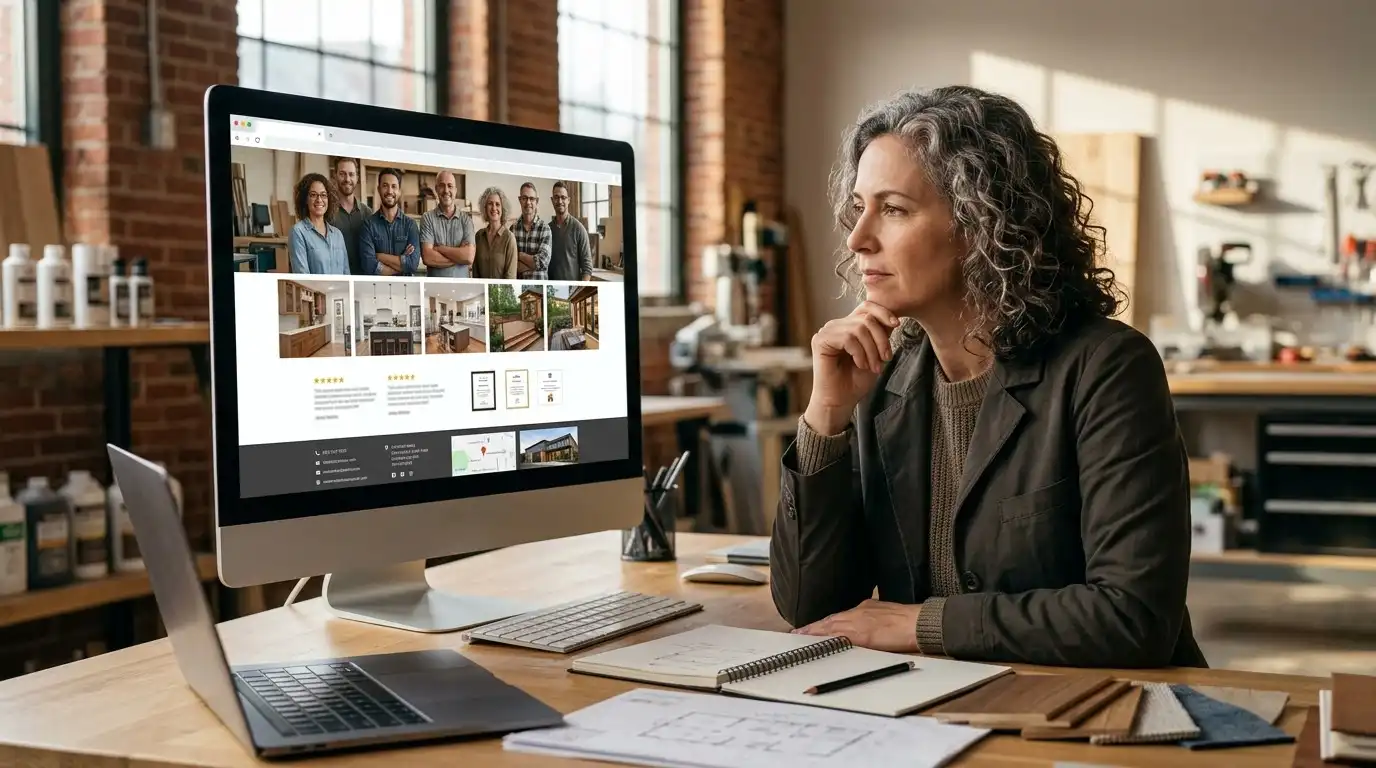
People are taking a risk when they hire a business they’ve never used.
Your website should help reduce that risk.
Trust signals might include:
- Customer reviews
- Testimonials
- Years in business
- Certifications
- Licenses
- Professional memberships
- Photos of the team
- Case studies
- Real project photos
- Guarantees where applicable
- Clear contact information
- Physical location when relevant
You don’t need to plaster every badge you have across the homepage.
But customers should have enough information to feel comfortable taking the next step.
Real Photos Can Make a Huge Difference

This is particularly useful for local businesses.
Compare:
Generic stock photo of a smiling technician
with:
Actual photo of your team working on a real project
The second gives customers something they can’t get from a generic template.
It demonstrates that there is an actual business behind the website.
If your current website relies almost entirely on generic stock photography, replacing the imagery alone may make a noticeable difference.
You may not need a complete rebuild.
Sign #19: Your Website Doesn’t Answer Important Customer Questions
Imagine a customer is almost ready to contact you.
But they have one question:
“Do you serve my area?”
They can’t find the answer.
Or:
“Do you offer financing?”
No answer.
Or:
“How quickly can someone come out?”
Nothing.
Or:
“What happens after I request an estimate?”
Silence.
Sometimes the best website improvement isn’t a new animation.
It’s simply answering the question that is stopping someone from contacting you.
Your Sales Team Can Tell You What Your Website Is Missing
This is an underused source of website ideas.
Talk to whoever answers your phones.
Ask:
“What do customers ask before they buy?”
You’ll probably hear the same questions repeatedly.
Those questions belong on the website.
Your sales team is effectively giving you a list of content ideas for free.
Sign #20: Your Website Doesn’t Match Your Current Customers
Businesses evolve.
Your original website may have been built for:
Homeowners
But now most of your customers are:
Property managers
Or perhaps you originally targeted:
Small local businesses
but now most of your revenue comes from:
Larger commercial clients.
If your website still speaks to the old audience, the messaging can become disconnected.
A redesign may be appropriate because the business strategy changed.
Should You Redesign or Just Update the Website?
This is the question that matters.
Use this framework.
Consider updating the existing website if:
- The platform is healthy
- The design is reasonably modern
- The structure works
- The website is mobile-friendly
- The content is the main problem
- A few pages need improvement
- Performance can be fixed
- Your branding only needs a refresh
In this situation, a full rebuild may be unnecessary.
Consider a Redesign if:
- The structure is confusing
- The mobile experience is poor
- The branding is completely outdated
- Your business has changed substantially
- Important services are buried
- The conversion path is weak
- The website is difficult to maintain
- The current design limits improvements
- The technology is outdated
- The website no longer represents your company
Consider a Complete Rebuild if:
- The platform is fundamentally unsuitable
- The website is technically fragile
- You have serious security problems
- The architecture is badly organized
- The site is difficult to maintain
- Important functionality is broken
- The business has completely changed direction
- The current system makes future growth difficult
That’s a very different situation from:
“I don’t like the font anymore.”
Don’t Forget SEO Before a Redesign
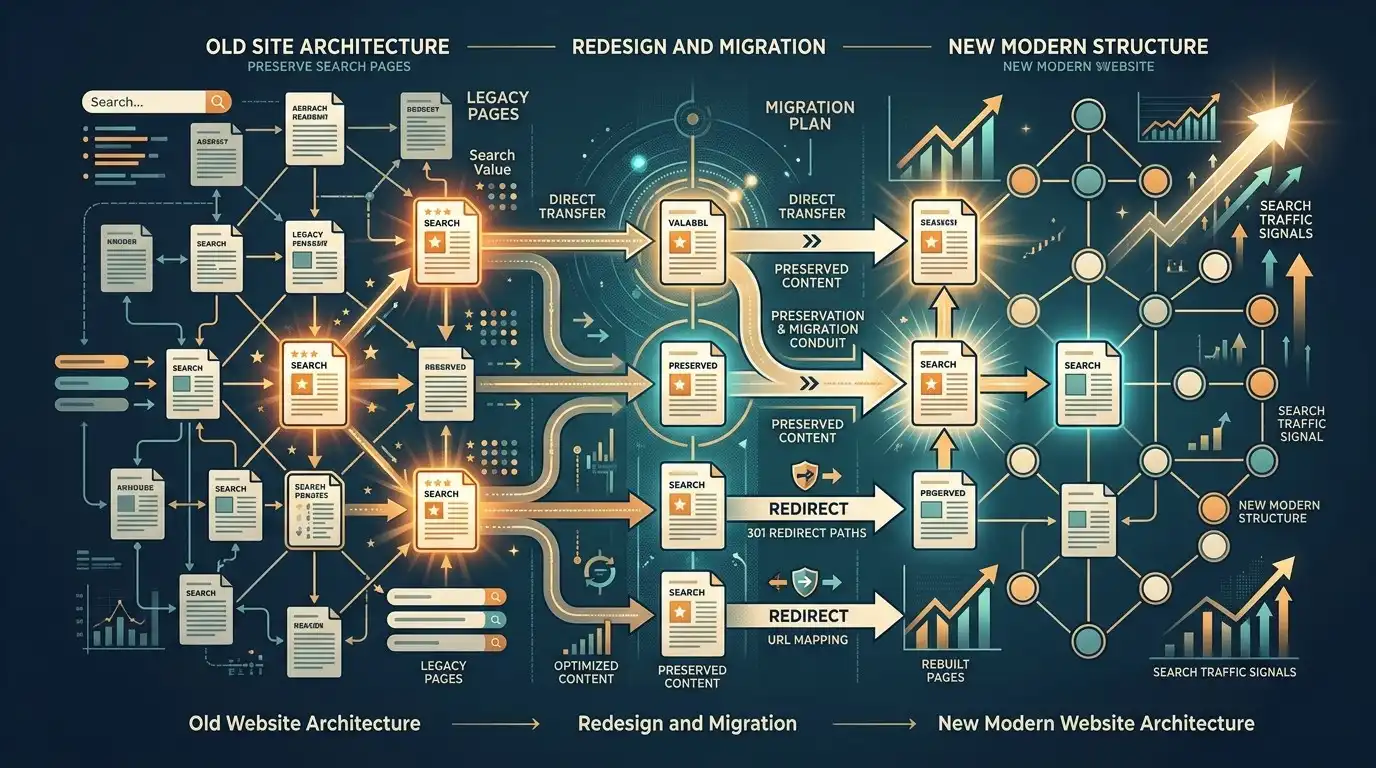
This is one of the most important sections in this article.
If your existing website receives search traffic, do not blindly delete pages and replace them with a new structure.
You could accidentally remove pages that are already ranking.
Before a redesign, identify:
- Pages receiving organic traffic
- Important URLs
- Existing backlinks
- Search rankings
- High-performing content
- Important service pages
- Existing redirects
- Indexed pages
Then plan what happens to those URLs.
A Beautiful Redesign Can Lose Search Traffic
Imagine your current website has:
/water-heater-repair
and that page receives search traffic.
During the redesign, someone deletes it.
The new website has:
/services
with a paragraph about water heaters.
The new design looks fantastic.
But you’ve changed the content and URL structure.
Search visibility can suffer.
That’s why redesigns should involve SEO planning when the existing website already has search visibility.
Don’t Change URLs Just Because You Can
A redesign is a great opportunity to improve structure.
But changing every URL isn’t automatically an improvement.
If an existing URL works well, sometimes the best decision is to keep it.
If URLs must change, appropriate redirects should be planned.
A redesign should preserve valuable assets rather than casually throwing them away.
Back Up the Existing Website
Before major changes:
Back it up.
Ideally, you should have backups of:
- Website files
- Database
- Content
- Media
- Configuration
- Important settings
You should also know how to restore the site if something goes wrong.
This sounds boring.
It is also the kind of boring thing you’ll be extremely grateful for if something goes sideways.
Don’t Redesign Without Measuring the Current Website
Before changing everything, collect some baseline information.
Look at:
- Organic traffic
- Direct traffic
- Leads
- Form submissions
- Phone calls if tracked
- Top pages
- Search queries
- Engagement
- Conversion rates
- Mobile performance
Then you have something to compare against after the redesign.
Otherwise you may launch the new website and have no idea whether it actually improved anything.
A Website Redesign Should Have Goals
Don’t say:
“Make the website look better.”
That’s too vague.
Instead:
Increase quote requests.
Or:
Make the service pages easier to navigate.
Or:
Improve mobile usability.
Or:
Make the company look more established.
Or:
Simplify the booking process.
Or:
Improve organic search visibility.
Specific goals produce better redesign decisions.
The Best Redesign May Be Smaller Than You Think
You may discover that you don’t need a brand-new website.
Maybe the biggest problems are:
- Bad homepage messaging
- Weak service pages
- Old photos
- Poor navigation
- No reviews
- Weak calls to action
- Poor mobile layout
Fix those things and the website may feel completely different.
This can be faster and cheaper than starting from zero.
When Starting Over Makes Sense
Sometimes, however, patching the old website becomes ridiculous.
You fix one thing.
Another breaks.
You replace one plugin.
Another stops working.
You change the theme.
Three old components become incompatible.
At some point you are spending more time maintaining the old website than building a better one.
That’s when a clean rebuild can make sense.
A Practical Website Redesign Audit

Before hiring anyone, go through this checklist.
Design
- Does the website look appropriate for my industry?
- Does it look current?
- Does the branding match the business?
- Are the images high quality?
- Does it look professional on mobile?
Content
- Is the information accurate?
- Are all major services explained?
- Does the homepage clearly explain the business?
- Are customer questions answered?
- Is outdated content removed?
Navigation
- Can visitors easily find services?
- Can they find contact information?
- Is the navigation understandable?
- Are important pages easy to reach?
Conversion
- Are calls to action obvious?
- Are phone numbers easy to find?
- Do contact forms work?
- Is it easy to request a quote or appointment?
Technical
- Does the website work on phones?
- Is it reasonably fast?
- Is WordPress and its software maintained?
- Are backups available?
- Are important integrations working?
SEO
- Which pages receive organic traffic?
- Which pages rank for important searches?
- Are important URLs being preserved?
- Are redirects planned for changed URLs?
- Are important pages still accessible to search engines?
If you find problems in several categories, a redesign may be justified.
What to Ask a Web Designer Before a Redesign
Don’t just say:
“Make my website look modern.”
Instead explain:
- What isn’t working
- What has changed
- What customers struggle with
- What the business wants to achieve
- Which pages matter
- What traffic the website receives
- What functionality is required
Then ask the designer:
“What would you change, and why?”
The answer can tell you a lot.
A good designer should be able to explain their decisions.
Don’t Let a Designer Sell You Problems You Don’t Have
This happens.
You ask for a website evaluation.
The response is:
“Everything needs to be rebuilt.”
Maybe it does.
But ask for specifics.
“Why?”
“What problem does rebuilding solve?”
“Can this be fixed without rebuilding?”
“What happens if we leave this part alone?”
You don’t need to accept a complete rebuild simply because someone sells websites for a living.
Your Website Doesn’t Need to Follow Every Trend
Web design trends change constantly.
Huge typography.
Animated gradients.
Video backgrounds.
3D effects.
Floating cards.
Glassmorphism.
Interactive everything.
Some of these can be excellent.
But your business website doesn’t need every trend.
A website should still be:
- Clear
- Fast
- Easy to navigate
- Easy to use
- Accessible
- Trustworthy
- Focused on the customer
A website that looks slightly less trendy but helps customers is doing its job.
The Goal Isn’t a “New Website”
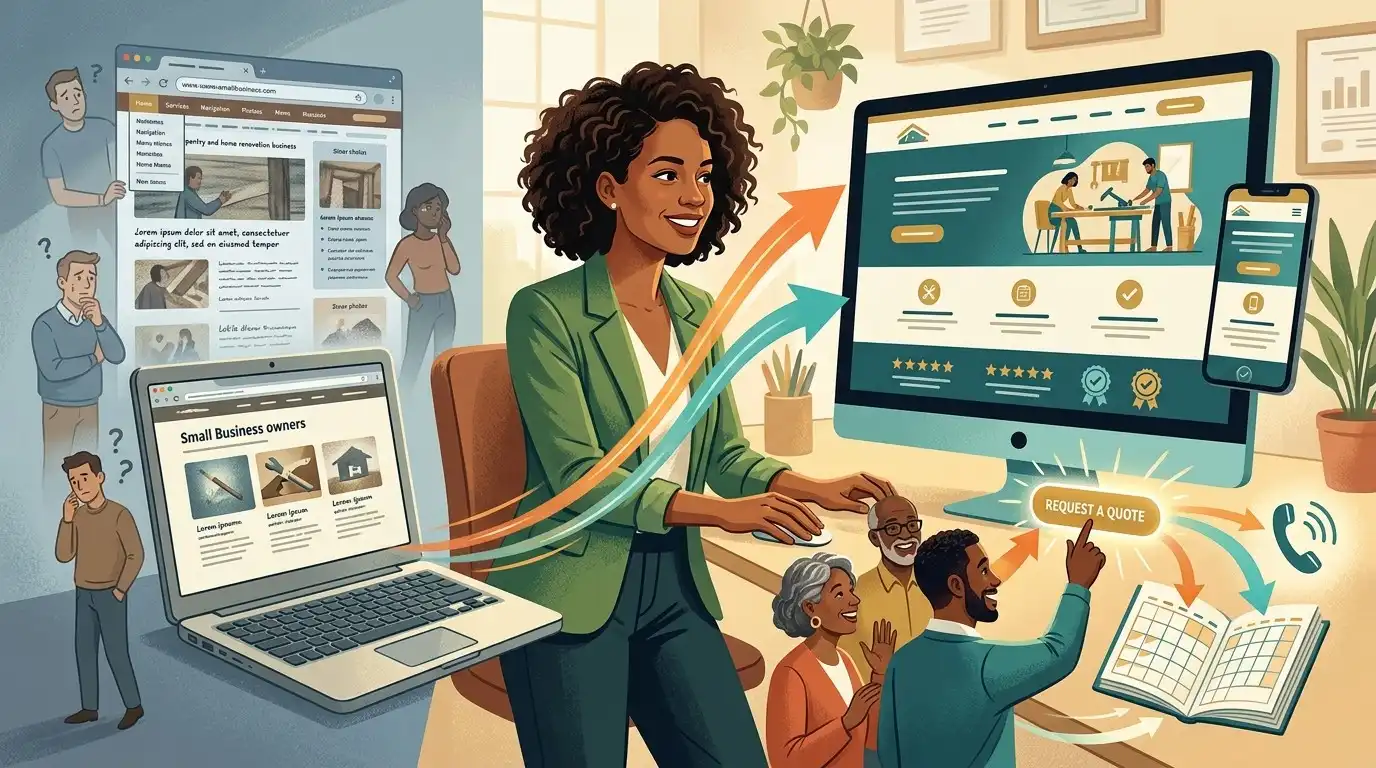
This is the biggest idea in this article.
The goal isn’t:
Get a new website.
The goal is:
Get a better business website.
Those aren’t the same thing.
A redesign should improve something meaningful.
Maybe it improves:
- Trust
- Clarity
- Mobile usability
- Leads
- Bookings
- Sales
- Navigation
- Search visibility
- Maintenance
- Branding
If none of those things improve, why spend the money?
Final Thought
Your website doesn’t need a redesign simply because it’s three years old.
And it doesn’t need to remain untouched simply because it still technically works.
Age is only one factor.
The more important question is:
Is your website still doing the job your business needs it to do?
If customers can find it, understand it, trust you, navigate it, and contact you easily, you may only need some updates.
If your website is confusing, outdated, difficult to use, poorly maintained, disconnected from your current business, or failing to turn visitors into customers, a redesign may be worth considering.
But diagnose the problem first.
Don’t rebuild a traffic problem as a prettier traffic problem.
Don’t replace a good website simply because a competitor launched a flashy one.
And don’t keep patching a fundamentally broken website forever just because rebuilding feels expensive.
The best redesign isn’t the one with the most dramatic before-and-after screenshot.
It’s the one where, after launch, you can say:
“This website works better for our business now.”
That’s the redesign that matters.
Frequently Asked Questions
How often should a small business redesign its website?
There is no fixed schedule. A website should be redesigned when its design, technology, structure, content, usability, or business strategy no longer meets the company’s needs.
How do I know if my website is outdated?
Look at mobile usability, design, content accuracy, navigation, speed, branding, security, technology, and how well the website supports your current business goals.
Does an old-looking website hurt my business?
It can. An outdated or poorly maintained website may reduce trust and make the business appear less professional, especially when customers compare it with competitors.
Do I need a completely new website?
Not necessarily. Sometimes updating content, images, navigation, calls to action, mobile layouts, or branding can solve the biggest problems without a complete rebuild.
How much does a website redesign cost?
The cost depends on how extensive the work is. A visual refresh can cost considerably less than rebuilding the site’s structure, technology, content, functionality, and SEO architecture.
Should I redesign my website if it isn’t getting traffic?
Not necessarily. First determine whether the problem is traffic or conversion. A new design won’t automatically create search traffic.
Can a website redesign hurt SEO?
Yes. Poorly planned redesigns can cause problems by deleting valuable pages, changing URLs, removing content, breaking internal links, or failing to implement appropriate redirects.
Should I change my URLs during a redesign?
Only when there is a good reason. Existing URLs that already perform well may be worth preserving. If URLs must change, the migration should be planned carefully.
Should I redesign my website because my competitors have newer websites?
Not automatically. Study what your competitors are doing better, but evaluate your own website’s performance and customer experience before deciding to rebuild it.
How can I tell if my website has a conversion problem?
Look at whether visitors are taking the actions you want, such as calling, submitting forms, booking appointments, requesting estimates, or making purchases. High traffic with very few actions can indicate a conversion problem.
What should I do before redesigning a WordPress website?
Back up the existing website, review its traffic and search performance, identify important URLs and content, document important functionality, and define the goals of the redesign.
Should I redesign my website just to make it look more modern?
Not necessarily. Visual improvements can be valuable, but a redesign should ideally solve meaningful business or customer-experience problems rather than simply follow design trends.
What is the biggest mistake businesses make during a website redesign?
One of the biggest mistakes is treating the redesign as purely a visual project. A successful redesign should consider content, navigation, mobile usability, conversions, technical performance, ownership, and SEO where appropriate.